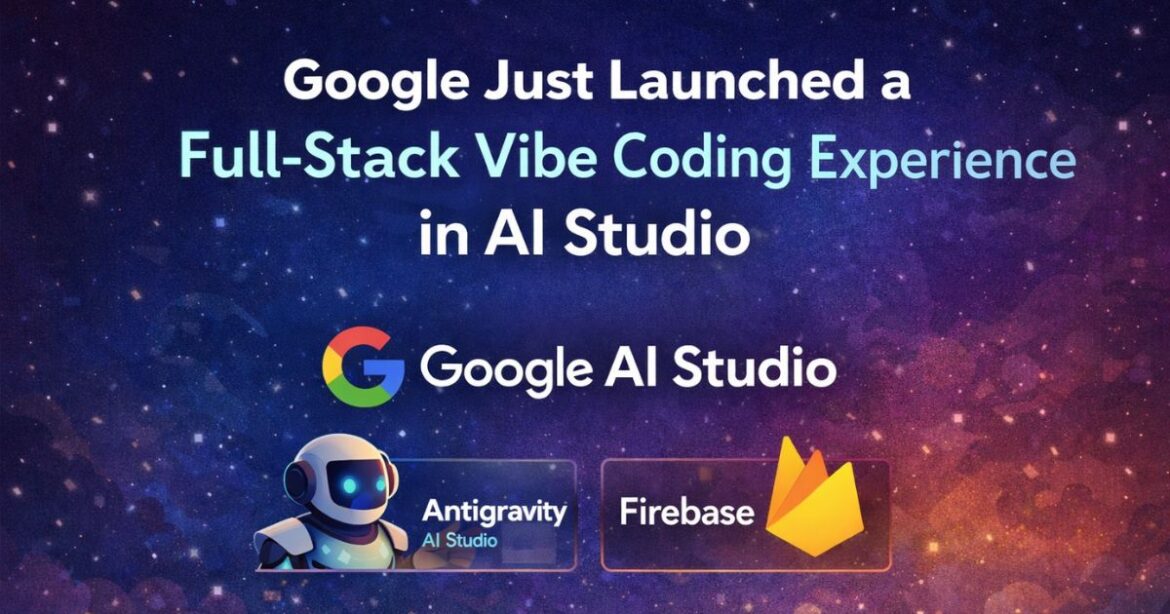
Google has upgraded AI Studio into a full-stack vibe coding platform that lets users build complete applications — including frontend, backend, and deployment — using plain English prompts. This is powered by the Antigravity coding agent and Firebase backend integration, allowing users to go from idea to live app without manual coding.
What if you could describe an app in plain English — and have it built, deployed, and live within minutes? That is no longer a far-off dream.
Google AI Studio is a browser-based AI development platform that allows users to build full-stack applications using plain-language prompts.
On March 19, 2026, Google officially upgraded Google AI Studio into a full-stack vibe coding platform, combining two powerful tools — the Antigravity coding agent and Firebase backend integration — into one seamless experience.
For developers, students, and even non-coders in India and beyond, this is one of the most significant AI product launches of the year.
TL;DR
- Google AI Studio now supports full-stack app development
- Antigravity agent builds, tests, and fixes code automatically
- Firebase is integrated for database, authentication, and hosting
- You can build production-ready apps using prompts
- No coding required for basic apps
What Is Vibe Coding, and Why Does It Matter?
Vibe coding is a style of software development where you describe what you want in plain language, and an AI agent handles the actual coding.
Instead of writing JavaScript or Python line by line, you simply say: ‘Build me a multiplayer quiz app with a leaderboard and Google login’ — and the AI figures out the rest.
This approach has been growing rapidly in 2026, with tools like Bolt.new, Lovable, and Replit Agent gaining popularity. Google’s new update places it squarely in this space — but with a significant advantage: deep integration with its own powerful infrastructure through Firebase.
What’s New in Google AI Studio Vibe Coding Update (2026)
Google has rolled out a completely overhauled vibe coding experience inside AI Studio. Here is a breakdown of what’s new:
1. The Antigravity Coding Agent
Antigravity is Google’s agent-first IDE, originally launched in November 2025 alongside the Gemini 3 model family. Unlike traditional coding assistants such as GitHub Copilot or Cursor, which sit beside you as you type, Antigravity takes the wheel entirely.
You describe your goal. The agent plans the entire project, writes the code across multiple files, runs tests in a built-in browser, and fixes its own errors — all autonomously. You supervise and steer, reviewing decisions at key checkpoints.
As of March 2026, Antigravity supports multiple AI models:
- Gemini 3.1 Pro (Google’s flagship)
- Gemini 3 Flash (faster, lighter tasks)
- Claude Sonnet 4.6 and Claude Opus 4.6
- GPT-OSS 120B
2. Firebase Backend Integration
This is perhaps the most important addition for real-world app development. Earlier vibe coding tools were good at building user interfaces, but struggled with the backend — user accounts, databases, and secure data storage. Google has solved this by baking Firebase directly into the AI Studio vibe coding experience.
With a single prompt, the agent can now:
- Set up Firestore: Google’s scalable NoSQL database, so your app can save and retrieve data
- Enable Firebase Authentication: Add ‘Sign in with Google’ to any app automatically
- Manage secrets: Connect your app to third-party services like payment gateways or maps APIs securely
3. Multiplayer and Real-Time App Support
You can now build real-time collaborative experiences — think multiplayer games, shared whiteboards, or live dashboards — entirely through prompts. The agent sets up the socket connections and syncs data across users without you needing to understand the underlying technology.
4. Full-Stack Runtimes and npm Support
The updated AI Studio supports full-stack runtimes with server-side logic, allowing you to install npm packages (JavaScript libraries) directly through prompts. Need an animation library? A payment SDK? Just ask, and the agent installs and integrates it.
This new experience has already been used internally at Google to build hundreds of thousands of apps over the last few months — a strong signal of how production-ready it already is.
Google’s End-to-End AI Development Pipeline
Google’s goal is clear: create a vertical stack where every step of app development — from idea to deployment — happens within its ecosystem. Here is how the tools now fit together:
- Google AI Studio: Rapid prototyping and vibe coding in the browser
- Google Antigravity: Advanced agent-based building for complex, production-grade apps
- Firebase: Backend infrastructure — database, authentication, and hosting
- Google Stitch: AI-powered UI design and prototyping
Until recently, these tools operated in silos, and developers had to manually copy work across them. The new integration eliminates that friction.
Soon, Google will also add a one-click button to transfer your AI Studio project directly into Antigravity for deeper development — and Workspace integrations to connect Google Drive and Sheets to your apps.
How Google AI Studio Vibe Coding Works
Here’s how the new system works step by step:
- You describe your app idea in plain English
- The Antigravity agent plans the full architecture
- It generates frontend (UI) and backend logic
- Firebase is automatically connected for database and authentication
- The agent tests and fixes errors
- Your app is deployed and ready to use
This turns software development into a prompt-driven workflow instead of manual coding.
What This Means for Indian Developers and Startups
India’s startup ecosystem is one of the most active in the world, and tools that lower the barrier to building apps matter enormously here. With Google AI Studio being free to access and requiring no paid subscription to start, this update opens full-stack app development to a much wider audience — including college students, solo founders, and non-technical professionals.
For Indian developers already familiar with Firebase (a widely used backend platform), the transition to AI-assisted app building within the same ecosystem is intuitive. The ability to add Google authentication in seconds is especially relevant in a market where ‘Sign in with Google’ is practically universal.
The Antigravity IDE is available in a free tier with rate limits, a Pro plan at approximately $20 per month, and an enterprise tier for larger teams — pricing that is accessible by global standards.
How Does This Compare to the Competition?
Google is entering a crowded but rapidly growing market. Here is how the new AI Studio experience stacks up:
- Bolt.new / Lovable: Strong UI-first vibe coding tools, but limited native backend infrastructure
- Replit Agent: Full-stack capable but not backed by Google-scale infrastructure
- Cursor / Claude Code: Developer-first tools that require more technical knowledge to use effectively
| Feature | Google AI Studio | Replit Agent | Bolt.new |
|---|---|---|---|
| Full-stack support | ✅ Yes | ✅ Yes | ❌ Limited |
| Backend integration | ✅ Firebase built-in | ❌ Manual | ❌ Manual |
| Ease of use | ⭐⭐⭐⭐⭐ | ⭐⭐⭐⭐ | ⭐⭐⭐⭐⭐ |
| Prompt-based dev | ✅ Core | ✅ Core | ✅ Core |
Google’s key advantage is the tightly integrated Firebase backend. Competitors require you to bring your own backend or manually connect external services. Here, it all works together out of the box — which is a meaningful difference for anyone building a real product.
Limitations of Google AI Studio (Important)
While powerful, the platform still has limitations:
- Not ideal for large-scale enterprise applications
- Limited manual control compared to traditional IDEs
- Free tier has rate limits and usage restrictions
- AI-generated code may require human review
- Architecture customization can be difficult
This makes it best suited for MVPs, prototypes, and small-to-medium apps.
Frequently Asked Questions
Is Google AI Studio’s vibe coding feature free to use?
Yes, Google AI Studio is free to access with a Google account. The Antigravity agent has a free tier with rate limits. For heavier usage, a Pro plan is available at around $20 per month.
Do I need to know how to code to use this?
No. The core idea of vibe coding is that you describe what you want in plain English, and the AI agent handles the actual code. However, having some technical understanding helps you review and guide the agent’s work effectively.
What is Firebase, and why is its integration important?
Firebase is Google’s backend-as-a-service platform. It handles data storage (Firestore), user authentication, and hosting. Integrating it directly into the vibe coding experience means you can build apps with real user accounts and persistent data without needing to set up a backend manually.
What is Google Antigravity?
Antigravity is Google’s agent-first IDE — launched in November 2025. It is a modified version of VS Code where AI agents autonomously plan, write, test, and debug code across your entire project, while you supervise and guide the process at key stages.
How is this different from tools like GitHub Copilot?
Copilot and similar tools assist you as you write code — they autocomplete and suggest. Antigravity and AI Studio’s new vibe coding experience are fundamentally different: the AI agent leads, building entire projects from a description. You review and approve, rather than type and guide.
The Takeaway
Google’s upgraded AI Studio is not just another AI coding assistant. It is a complete rethinking of what building software can look like — where the gap between having an idea and having a working app shrinks from weeks to hours. The combination of Antigravity’s autonomous coding power and Firebase’s production-ready backend infrastructure gives this platform a credibility that earlier vibe coding tools lacked.
Whether you are a developer looking to build faster, a startup founder wanting to validate an idea quickly, or a student exploring app development for the first time — this is worth paying close attention to. Head over to aistudio.google.com to try the new experience today.
Related Posts
 Nvidia’s NemoClaw Explained: The New AI Platform That Could Transform Enterprise AI
 15 Best Vibe Coding Tools For Building Websites & Apps In 2026
 Trump vs Anthropic: The Real Reason Behind the US Government AI Ban
 Google Pomelli AI Tool Launched in India: What It Is, Features, and How It Helps Small Businesses