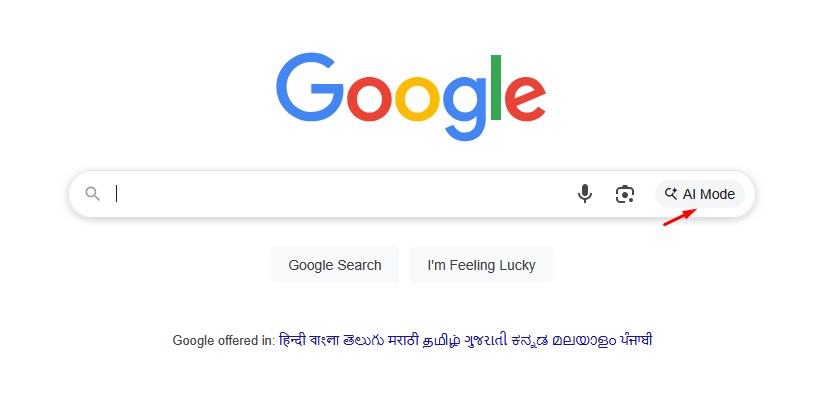
Google has officially rolled out its highly anticipated AI Mode within Google Search in India, marking a significant leap forward in how users can access and interact with information online. Available as an experimental feature through Google Search Labs, AI Mode, powered by a custom version of Gemini 2.5, promises to deliver more comprehensive, nuanced, and direct answers to even the most complex queries.
For years, Google Search has been the world’s go-to for finding information, primarily by presenting a list of relevant links. However, with the introduction of AI Mode, the search experience is evolving to offer something far more intelligent and intuitive. Unlike traditional search that often requires users to piece together information from various sources, AI Mode synthesizes data to provide direct and detailed responses, much like conversing with a knowledgeable assistant.
What is Google Search AI Mode?
Google Search AI Mode is an advanced search experience designed to handle longer, more intricate, and multi-faceted questions. It leverages a custom version of Google’s Gemini 2.5 large language model, which enables it to understand context, perform multi-step reasoning, and even accept multimodal inputs (text, voice, and images).
Key Features of AI Mode:
- Advanced Reasoning for Complex Questions: AI Mode excels at queries that would typically require multiple searches. It uses a “query fan-out” technique, breaking down complex questions into subtopics and searching for each component simultaneously to deliver detailed and well-rounded responses.
- Conversational Follow-up Questions: Users can engage in a natural conversation with the AI, asking follow-up questions to delve deeper into a topic. The AI remembers the context of previous questions, making the information discovery process seamless.
- Multimodal Input Capabilities: India, being a leader in Google Lens usage, will greatly benefit from AI Mode’s multimodal support. Users can input queries using:
- Text: Type detailed questions as usual.
- Voice: Tap the microphone icon and speak your queries, especially useful for long and nuanced questions on the go.
- Images: Upload or snap photos via the Google app and ask questions about what you see. For example, you can take a picture of a plant and ask for its identification and care instructions.
- Deeper Web Integration: While providing AI-generated summaries, AI Mode remains deeply integrated with Google’s existing web infrastructure, including the Knowledge Graph and product databases. It links back to various web sources, ensuring transparency and allowing users to explore information further.
- Support for Traditional Search: In cases where AI Mode isn’t confident in its response, it will seamlessly revert to showing standard search results, ensuring users always get useful information.
How to Try Google Search AI Mode in India
Since AI Mode is currently available as an experimental feature through Google Search Labs, here’s how you can access it in India (currently in English):
- Open the Google App: Ensure you have the latest version of the Google app installed on your Android or iOS device.
- Navigate to Search Labs:
- Look for the Search Labs icon (often represented by a beaker symbol) in the top-left or top-right corner of the Google app’s home screen.
- Alternatively, you can directly visit labs.google.com in your browser.
- Enable “AI Mode” Experiment: On the Search Labs page, find the experiment named “AI Mode” and toggle it on to join.
- Start Your Search:
- Once enabled, you might see a “Try AI Mode” button on the Labs page, which you can tap to start.
- Alternatively, simply perform a search on Google as you normally would. You should now see an “AI Mode” tab next to the “All” tab at the top of the search results. Tap on this tab to engage with the AI-powered experience.
Google’s AI Mode is set to redefine the search experience, making it more conversational, insightful, and tailored to complex information needs. As an experimental feature, Google will continue to refine and expand its capabilities based on user feedback. So, dive in and experience the future of search today!
Enjoy Worthview?
Add Worthview as a Preferred Source on Google to see more of our stories in Search.

Worthview Editorial Team is the shared byline for content created collaboratively by Worthview’s editors and contributors. Since 2008, we’ve published thousands of articles across technology, AI, finance, health, home, travel, and lifestyle. Our editorial process emphasizes original research, reputable sources, regular content updates, and clear attribution. Articles covering higher-trust topics, including health and finance, may also undergo review by qualified subject-matter experts.