TL;DR (Quick Summary)
-
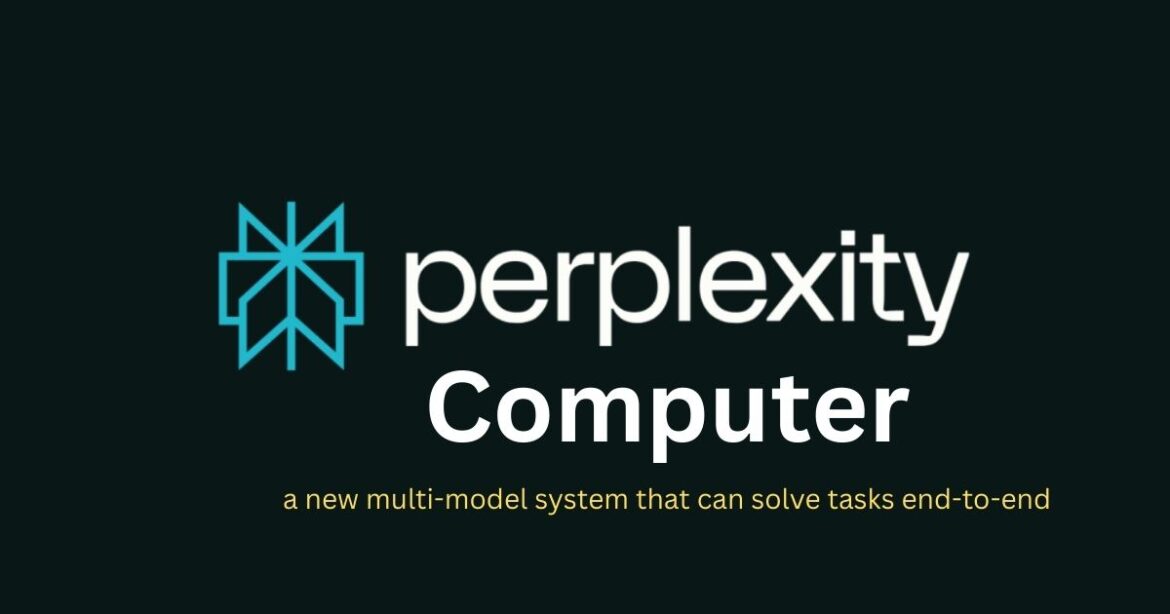
Perplexity Computer is a new AI system launched on February 25, 2026, designed to handle complex, multi-step tasks automatically.
-
It runs up to 19 AI models simultaneously, assigning different “agents” to research, write, analyze data, code, and build files.
-
Unlike regular chatbots, it can fetch live web data, generate charts, build spreadsheets, create apps, and export files in one workflow.
- Users can give a single goal (e.g., “Build SEO article” or “Analyze stock”) and the system breaks it into organized steps.
-
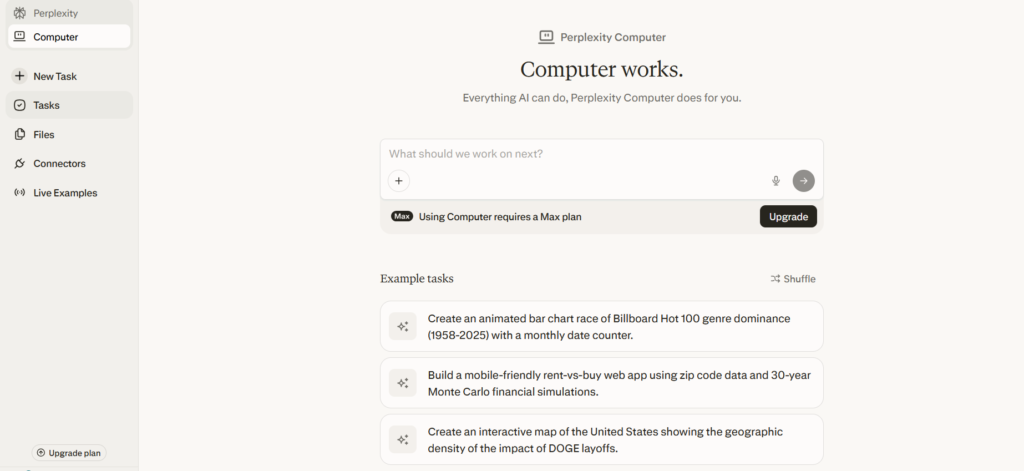
Available first to Perplexity Max subscribers via Computer mode on perplexity.ai.
Perplexity Computer is a powerful new AI tool from Perplexity AI that acts like a team of smart assistants working together on your projects. Launched on February 25, 2026, it uses up to 19 AI models at once to handle research, planning, coding, and more—all in one place. Available first to Max subscribers, it makes complex tasks simple by breaking them into steps and keeping everything organized with memory and secure connections.
Perplexity Computer does everything at once.
Instead of jumping between ChatGPT, Excel, Google, coding tools, and SEO software…
You just give one goal.
It handles the rest.
Currently available to Max subscribers, Perplexity Computer can run up to 19 AI models simultaneously, breaking complex goals into step-by-step workflows — while remembering your past work and keeping everything organized.
Why This Is a Big Deal
Most AI tools:
-
Answer questions
-
Generate text
-
Maybe write code
Perplexity Computer:
-
Assigns specialized AI “agents” to different parts of your task
-
Runs research and code simultaneously
-
Builds spreadsheets, dashboards, and apps
-
Pulls real-time web data
-
Cites sources automatically
-
Keeps memory of your ongoing projects
Think of it as:
🧠 Research analyst + 📊 Data scientist + ✍️ Content writer + 👨💻 Developer — all in one system.
Real-World Use Cases That Save Hours
1️. Content Creation for Marketers
If you’re building SEO content (especially on trending topics like AI data centers in India), this is powerful.
Example prompt:
“Build a full SEO article on AI data centers in India — include keyword research, outline, draft, images, and meta tags.”
Here’s what happens behind the scenes:
-
One agent researches latest trends (e.g., NVIDIA investments, Indian infrastructure growth)
-
Another performs keyword clustering
-
Another drafts the article
-
One optimizes for Google
-
One generates images
-
Everything gets packaged into a ready-to-publish file with citations
Time saved?
10–20 minutes vs 4–6 hours manually.
For SEO professionals and content managers, this is massive.
2️. Stock Market Analysis for Investors
If you’re tracking markets daily, this becomes your AI research desk.
Example:
“Analyze Reliance Industries stock — fetch latest data, chart trends, summarize earnings calls, and suggest buy/sell risks.”
The system:
-
Pulls real-time stock data
-
Runs technical charting
-
Summarizes financial reports
-
Analyzes recent news sentiment
-
Builds an interactive dashboard
-
Exports CSV or PDF
No switching between:
-
TradingView
-
News portals
-
Excel
-
Research reports
It becomes your automated equity research assistant.
3. Project Planning for Tech & AI Teams
Planning a data center expansion?
Prompt:
“Design a data center expansion plan in Karnataka — include cost research, energy modeling, budget spreadsheet, and vendor email drafts.”
It will:
-
Research regulations and costs
-
Run energy consumption simulations
-
Create formula-driven spreadsheets
-
Draft structured vendor communication
-
Save everything in one workspace
For IT professionals or infrastructure planners, this replaces multiple tools and hours of coordination.
4️. Personal Finance & Data Research
Even for structured research tasks like lottery result analysis:
“Analyze Karnataka state lottery results from last year, simulate odds, and create a tracking spreadsheet.”
It can:
-
Pull historical data
-
Run statistical analysis
-
Visualize trends
-
Build a tracker sheet
-
Export files
No gambling advice — just structured data analysis.
How to Get Started
-
Log into perplexity.ai
-
Switch to Computer mode (or visit perplexity.ai/computer/live for demos).
-
Define a clear goal (include location, budget, constraints) like “Plan my marketing campaign,”
- It assigns agents: one researches trends, another designs content, and others build reports or apps.
-
Review outputs under the Assets tab
-
Download charts, apps, spreadsheets, or documents
No coding needed—it remembers past work, pulls from files or the web, and shows progress in real-time.
Pro Tip:
Be specific.
Instead of:
“Make marketing plan”
Say:
“Create a 3-month AI marketing plan for India under ₹10L budget with KPI projections and channel breakdown.”
The clearer the goal, the smarter the execution.
Why This Matters
Perplexity Computer isn’t just another chatbot.
It’s moving toward:
-
Autonomous task execution
-
Multi-agent collaboration
-
Real-time web-connected AI
-
Persistent memory-based workflows
For research-heavy roles — SEO, finance, tech planning — this could increase productivity by 5–10x.
And the biggest advantage?
You stop managing tools.
You start managing outcomes.
Frequently Asked Questions (FAQs)
What is Perplexity Computer?
Perplexity Computer is an advanced AI system launched on February 25, 2026, by Perplexity AI. It uses multiple AI models simultaneously to complete complex, multi-step tasks such as research, content creation, coding, data analysis, and project planning — all within one organized workspace.
How is Perplexity Computer different from regular chatbots?
Unlike standard chatbots that generate text responses, Perplexity Computer assigns multiple AI agents to different parts of a task. It can fetch live web data, execute code, generate spreadsheets, create dashboards, build apps, and export files — making it a full task execution system, not just a conversation tool.
How many AI models does Perplexity Computer use?
Perplexity Computer can use up to 19 AI models at the same time. Each model acts as a specialized agent handling different functions like research, writing, coding, data processing, or analysis to complete complex goals efficiently.
Who can use Perplexity Computer?
Perplexity Computer is initially available to Perplexity Max subscribers. Users can access it through Computer Mode on the Perplexity website. It is designed for marketers, investors, developers, researchers, and professionals handling research-heavy workflows.
Can Perplexity Computer access live data?
Yes. Perplexity Computer can pull live web data, summarize news, fetch stock prices, and gather up-to-date information. It also provides citations for sources, making it useful for research, financial analysis, and real-time decision-making.
What tasks can Perplexity Computer automate?
It can automate tasks such as:
-
SEO content research and writing
-
Stock market analysis and chart creation
-
Budget and spreadsheet generation
-
Project planning and simulations
-
Data visualization and dashboard building
It breaks large goals into structured steps automatically.
Does Perplexity Computer require coding knowledge?
No. Users do not need coding skills. The system handles research, code execution, spreadsheet creation, and app building automatically. Users only need to define a clear goal, and the AI manages the technical steps.
Is Perplexity Computer suitable for teams?
Yes. It supports project-based workflows and can organize files, charts, and reports in one workspace. With persistent memory and structured outputs, it is useful for collaborative research, marketing campaigns, financial reporting, and tech project planning.
Enjoy Worthview?
Add Worthview as a Preferred Source on Google to see more of our stories in Search.

Worthview Editorial Team is the shared byline for content created collaboratively by Worthview’s editors and contributors. Since 2008, we’ve published thousands of articles across technology, AI, finance, health, home, travel, and lifestyle. Our editorial process emphasizes original research, reputable sources, regular content updates, and clear attribution. Articles covering higher-trust topics, including health and finance, may also undergo review by qualified subject-matter experts.