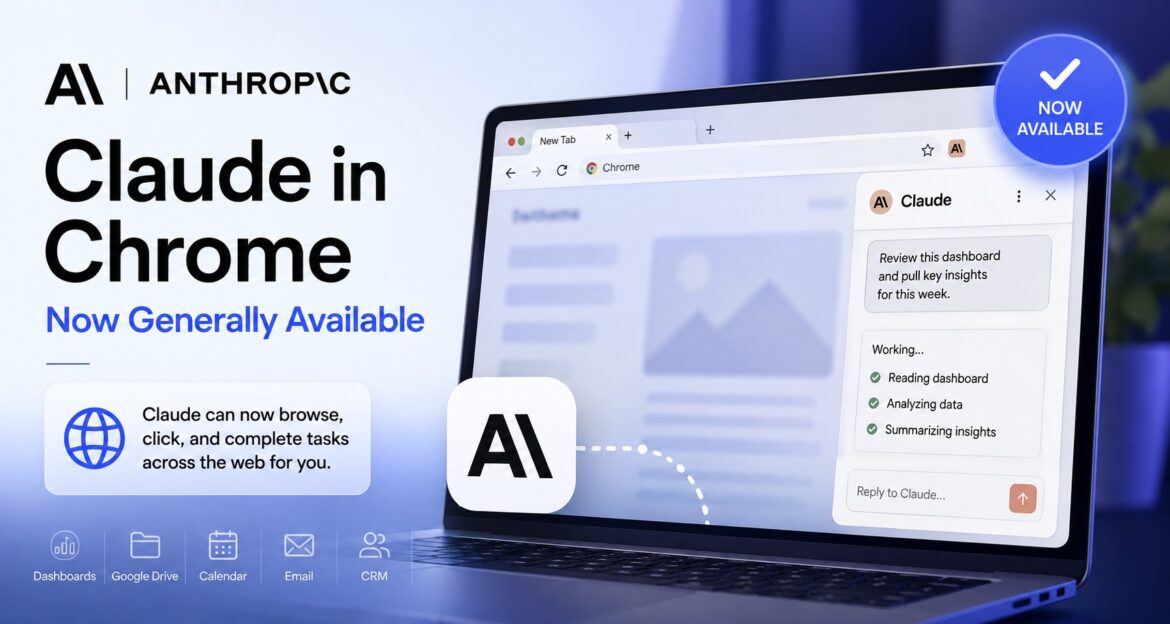
Anthropic has officially moved Claude in Chrome from its limited pilot to general availability, giving paid Claude users an AI agent that can interact directly with websites from inside Chrome.
Unlike a traditional chatbot that only reads and generates text, Claude in Chrome can navigate webpages, click links, type into fields, and complete multi-step browser tasks using the sessions and logins already active in the user’s browser. The release also puts a major focus on one of the biggest challenges facing browser-based AI agents: prompt injection.
Anthropic says its latest safety classifiers reduced successful prompt-injection attacks to zero in its internal testing of Claude Sonnet 5, Opus 5, and Fable 5. That is a significant claim, but it comes from Anthropic’s own test suite rather than an independent security audit.
Claude in Chrome is now generally available to all paid Claude plans. The browser agent can read webpages, click links, type text, fill out forms, and carry out multi-step tasks with less need for approval at every step.
Anthropic says its latest safety systems blocked every prompt-injection attack in its internal tests of Claude Sonnet 5, Opus 5, and Fable 5. However, users should not interpret that result as a guarantee that browser agents are completely immune to prompt injection.
For sensitive activities involving banking, healthcare, credentials, or other high-risk information, Anthropic recommends caution and provides more restrictive permission controls.
Key Takeaways
- Claude in Chrome is now generally available to users on Anthropic’s paid Claude plans, following its limited pilot.
- Claude can perform browser tasks autonomously, including reading webpages, clicking links, typing, navigating between pages, and filling out forms.
- The browser agent can work with existing logins and websites without APIs, making it useful for internal dashboards, legacy systems, vendor portals, CRM platforms, and other web-based tools.
- Prompt injection remains a major security concern. Anthropic says its latest safety classifiers reduced successful prompt-injection attacks to zero in its internal testing of Claude Sonnet 5, Opus 5, and Fable 5.
- The zero-percent result is not an independent security guarantee. It comes from Anthropic’s own testing, so users should interpret the claim accordingly.
- Sensitive workflows require extra caution. Anthropic recommends avoiding high-risk activities involving banking, healthcare records, credentials, and similar information, while Permissions Mode provides tighter control over which websites Claude can access.
What Just Happened
Anthropic moved Claude in Chrome from its limited pilot to general availability on August 26, 2026, making the browser agent available across its paid Claude plans. The extension had been tested as a limited pilot since late 2025 while Anthropic worked on both its browser capabilities and defenses against prompt injection.
The biggest change is not simply wider access. Claude can now carry out multi-step browser tasks with greater autonomy, rather than stopping to ask for approval after every individual action. A safety classifier checks actions before they are executed and looks for both potentially risky behavior and malicious instructions embedded in webpages.
What Is Prompt Injection?
Prompt injection is an attack in which instructions hidden inside a webpage, email, form field, or other content attempt to manipulate an AI agent into doing something the user did not request.
For a browser agent, this creates a particularly important security challenge because the AI is not simply reading webpages—it can also act on what it encounters. A malicious webpage could, for example, contain instructions designed to persuade an agent to ignore the user’s original request or take an unintended action. Anthropic identified this as a key risk during the earlier Claude in Chrome pilot.
Anthropic says its latest safety classifiers reduced the success rate of these attacks to zero percent in its internal testing of Claude Sonnet 5, Opus 5, and Fable 5. Because the result comes from Anthropic’s own test suite, rather than an independent security evaluation, it should be treated as a company-reported result rather than proof that browser-based AI agents are immune to prompt injection.
What Claude in Chrome Actually Does
Claude in Chrome gives Claude direct access to the webpage you’re viewing and allows it to read, type, click, navigate, and fill out forms inside the browser. It can use the active sessions and logins already available in Chrome, allowing it to interact with websites that may not offer an API.
That makes the tool particularly useful for work that normally requires moving information between webpages, dashboards, spreadsheets, email, and other browser-based systems.
Examples of What Claude Can Do
Anthropic highlights several practical use cases for Claude in Chrome:
- Analyze analytics dashboards: Pull numbers and information directly from a dashboard without requiring a separate data export.
- Organize Google Drive: Help clean up and restructure files and folders.
- Prepare for meetings: Review a calendar and flag meetings that may need attention.
- Research competitors: Gather information from multiple websites and pass the findings to Claude Cowork to create a formatted comparison deck.
- Update a CRM: Log sales calls and other information into a customer relationship management system.
- Manage email: Help clear or organize marketing messages in an inbox.
Why API Access Is Not Always Necessary
One of the more important aspects of Claude in Chrome is that it can interact with websites through the browser itself. That means a website does not necessarily need to provide an API for Claude to work with it.
This opens up AI-assisted automation for internal dashboards, legacy administrative systems, vendor portals, and other web applications that traditional API-based integrations may not support.
Want to try Claude in Chrome yourself? In an upcoming WorthView article, we’ll walk through how to set up Claude in Chrome and use it for practical browser-based tasks, step by step.
Three Ways to Use Claude’s Browser Agent
Claude’s browser agent can be accessed through three different surfaces, depending on the type of work you’re doing.
1. Claude in the Chrome Side Panel
The Chrome side panel is designed for tasks involving the webpage you’re already viewing. You can bring Claude into the current browser session without opening a separate workflow.
This is useful when you want Claude to research, read, navigate, or interact with the page currently in front of you.
2. Claude Cowork
Claude Cowork is better suited to browser activity that forms part of a larger, multi-tool workflow. Its browsing capability can be combined with other tasks rather than being limited to the page you’re currently viewing.
Cowork also provides a separate built-in browser, which is distinct from the Claude in Chrome extension and runs in a sandboxed environment.
3. Claude Code
Claude Code provides another way to use the same underlying agent when you’re working on a website or application you’re building.
This makes it particularly relevant for developers who want Claude to interact with the site they’re testing rather than simply analyzing code or text.
Your Work Can Carry Across Surfaces
These aren’t completely isolated experiences. Anthropic says a session started in one surface can carry over to another, while saved skills and conversation history can follow the account rather than being tied to a particular machine.
That means a workflow can potentially start in Chrome, continue through Cowork, and connect with development work in Claude Code without rebuilding the context from scratch.
How Safe Is Claude in Chrome From Prompt Injection?
The biggest question around any browser-based AI agent is not simply what it can do, but whether a webpage can manipulate it into doing something the user never requested.
Because Claude in Chrome can read webpages and take actions on them, it faces a different security challenge from a traditional chatbot. A webpage can contain instructions that appear to be ordinary content but are actually designed to influence the AI agent’s behavior.
Anthropic’s Zero-Percent Test Result
Anthropic says its latest safety classifiers reduced the success rate of prompt-injection attacks against Claude Sonnet 5, Opus 5, and Fable 5 to zero percent across its internal test suite. The company describes this as a significant improvement over the partial protection reported during the earlier Claude in Chrome pilot.
However, the number needs context.
The testing was conducted by Anthropic, using Anthropic’s own internal test suite. There is no independent audit or industry-wide benchmark presented in the announcement. For that reason, the result is best understood as a company-reported safety result, rather than evidence that Claude in Chrome—or browser agents generally—are immune to prompt injection.
What Users Should Do
Anthropic’s own recommendations are more cautious than the headline “zero percent” figure:
- Avoid sensitive workflows involving banking, health records, saved passwords, or credentials.
- Review important actions involving financial, personal, or work-critical consequences.
- Use Permissions Mode when you want to restrict Claude to approved websites.
- Organizations on Team and Enterprise plans can use administrative controls such as domain allowlists and blocklists.
The practical takeaway is simple: Claude in Chrome has stronger protections against prompt injection, but users should still treat autonomous browser actions as a security-sensitive capability.
Claude in Chrome Availability
Claude in Chrome is currently available to users on Anthropic’s paid Claude plans: Pro, Max, Team, and Enterprise. It is distributed as a standard Chrome extension through the Chrome Web Store.
For now, the browser agent works specifically with Google Chrome and is not available on other Chromium-based browsers or mobile devices.
Enterprise customers have additional controls: the extension is off by default, and administrators can decide whether to enable it and configure domain-level permissions.
Also worth knowing: Claude’s browser capabilities are appearing across more than one Anthropic product. Claude Cowork has its own built-in, sandboxed browser, which is separate from the Chrome extension and doesn’t require Claude to operate inside your everyday browsing session.
Why Claude in Chrome Matters
The importance of Claude in Chrome goes beyond letting an AI click buttons on a webpage. Browser-based agents could connect AI assistants to a large part of everyday work that has traditionally been difficult to automate because it happens inside websites, behind logins, or in systems without accessible APIs.
That includes internal dashboards, expense and administrative portals, vendor systems, CRM platforms, and other web applications that a conventional AI chatbot cannot directly operate.
Anthropic is also entering a rapidly developing area of AI. Google has been working on agentic browsing through Chrome and Gemini, while OpenAI has developed its own browser-agent capabilities. Claude in Chrome moving from a limited pilot to general availability therefore represents another step toward AI assistants that don’t just answer questions but perform tasks on a user’s behalf.
For businesses and individual users, however, the opportunity comes with an important trade-off: more autonomy means more responsibility around permissions and security. Claude in Chrome is now broadly available, but Anthropic’s own guidance still recommends keeping financial, credential-related, and other highly sensitive workflows out of the agent’s reach.
The practical approach is to start with low-risk, repeatable browser tasks, use tighter permissions where appropriate, and expand usage only as you become comfortable with the agent’s behavior.
Frequently Asked Questions
What is Claude in Chrome?
Claude in Chrome is Anthropic’s browser extension that allows Claude to interact directly with webpages. It can read content, click links, type text, navigate between pages, and fill out forms using active browser sessions.
What can Claude in Chrome do?
Claude can perform multi-step browser tasks such as gathering information from analytics dashboards, organizing Google Drive files, reviewing calendars, researching competitors, updating CRM records, and managing marketing emails.
Is Claude in Chrome available to everyone?
No. Claude in Chrome is currently available to users on paid Claude plans: Pro, Max, Team, and Enterprise. It currently works on Chrome and is not available on mobile or other Chromium-based browsers.
Is Claude in Chrome safe to use?
Anthropic says its latest safety classifiers reduced successful prompt-injection attacks to zero in its internal testing. However, this is an Anthropic-reported result rather than an independent security guarantee. Users should still be cautious with sensitive workflows.
Can Claude in Chrome access my passwords?
Claude in Chrome can work with active sessions and logins in the browser, but Anthropic specifically recommends avoiding workflows involving saved passwords, credentials, banking information, and other sensitive data.
What is the difference between Claude in Chrome and Claude Cowork’s browser?
Claude in Chrome operates as a browser extension inside Chrome, while Claude Cowork has its own separate, sandboxed browser. The Cowork browser is designed for people who want Claude to browse without giving an agent access to their everyday browsing environment.
Enjoy Worthview?
Add Worthview as a Preferred Source on Google to see more of our stories in Search.

Sethuram Kishore is the founder and editor of Worthview, an online publication established in 2008. With over 18 years of experience in SEO, digital marketing, and online publishing, he writes about AI, technology, business, and digital trends. He is also the founder of MoneyHulk, a personal finance and business publication.