ChatGPT has always been able to answer questions, generate code, explain concepts, and even tell you how to build a tool. But OpenAI’s new Intelligent UI changes what the answer itself can look like.
Instead of simply explaining how to solve a problem, ChatGPT can now respond with an interactive experience designed around the task.
Ask for a calculation, and you could get a calculator. Ask to explore data, and you could get an interactive visualization. Ask about a concept, and the response can include an interactive way to explore it.
That may sound like a small interface upgrade. It isn’t. It points to a bigger shift in how people may interact with software: instead of opening an application and learning how to use it, you could simply describe what you want and let AI provide the interface you need.
What Is ChatGPT’s Intelligent UI?
GPT-6 and Intelligent UI, now rolling out in ChatGPT for everyone. Intelligent UI in ChatGPT delivers fast, interactive answers that make everyday questions more visual, complex topics easier to grasp, and interactive tools for your task available on the spot. https://t.co/XL2gDCPBwG
— OpenAI (@OpenAI) October 7, 2026
Intelligent UI allows ChatGPT to combine traditional responses with interactive elements such as charts, visualizations, forms, controls and other UI components when they make sense for a particular request.
The important part is that users don’t necessarily have to ask:
“Build me a calculator.”
The AI can determine that an interactive calculator, visualization or other component would be a better way to answer the user’s request.
This makes the interface part of the response rather than a separate application the user has to find and open.
From Answers to Tools
This is the key difference.
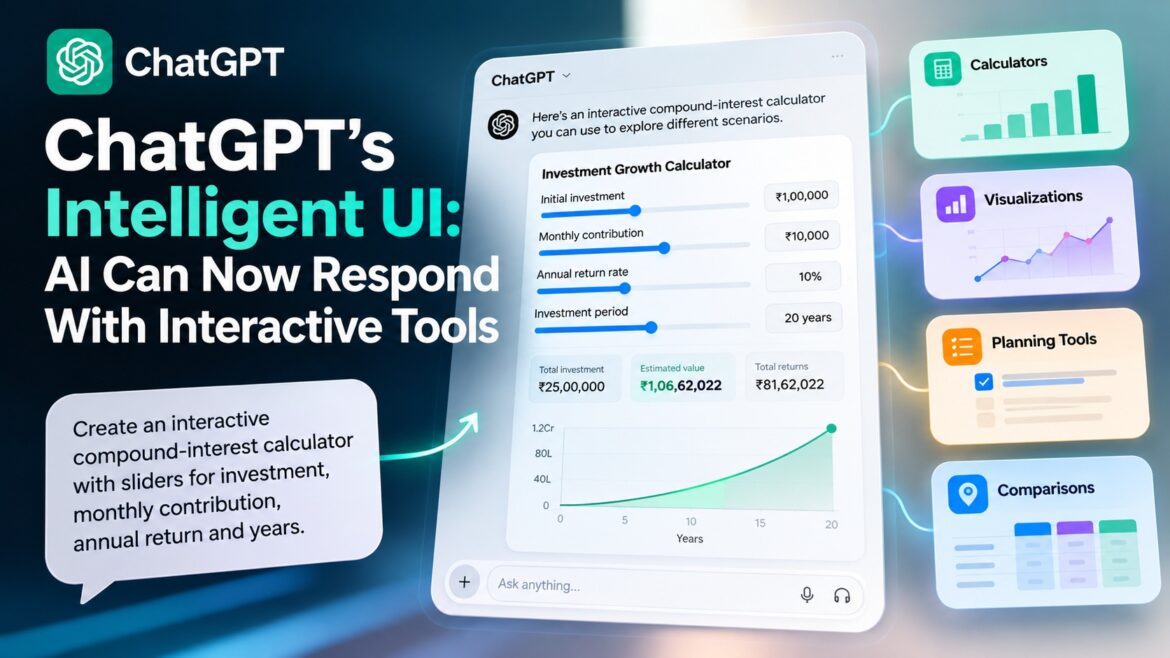
Previously, if you asked ChatGPT for a compound-interest calculation, it could give you the formula, calculate the result or generate code for a calculator.
With Intelligent UI, the response can become the calculator itself.
You can change the investment amount, monthly contribution, interest rate or investment period and immediately explore different outcomes without leaving the conversation.
The same concept can apply to many other tasks where interaction is more useful than a static answer.
What Can You Actually Do With It?
The easiest way to understand Intelligent UI is to try asking ChatGPT for something that would normally require a separate tool.
Here are a few prompts worth experimenting with:
Build an Interactive Calculator
Try:
“Create an interactive compound-interest calculator with sliders for initial investment, monthly contribution, annual return and investment period.”
Instead of simply calculating the result, ChatGPT can provide an interactive calculator that lets you change the variables and explore different outcomes.
Create a Budget Planner
Try:
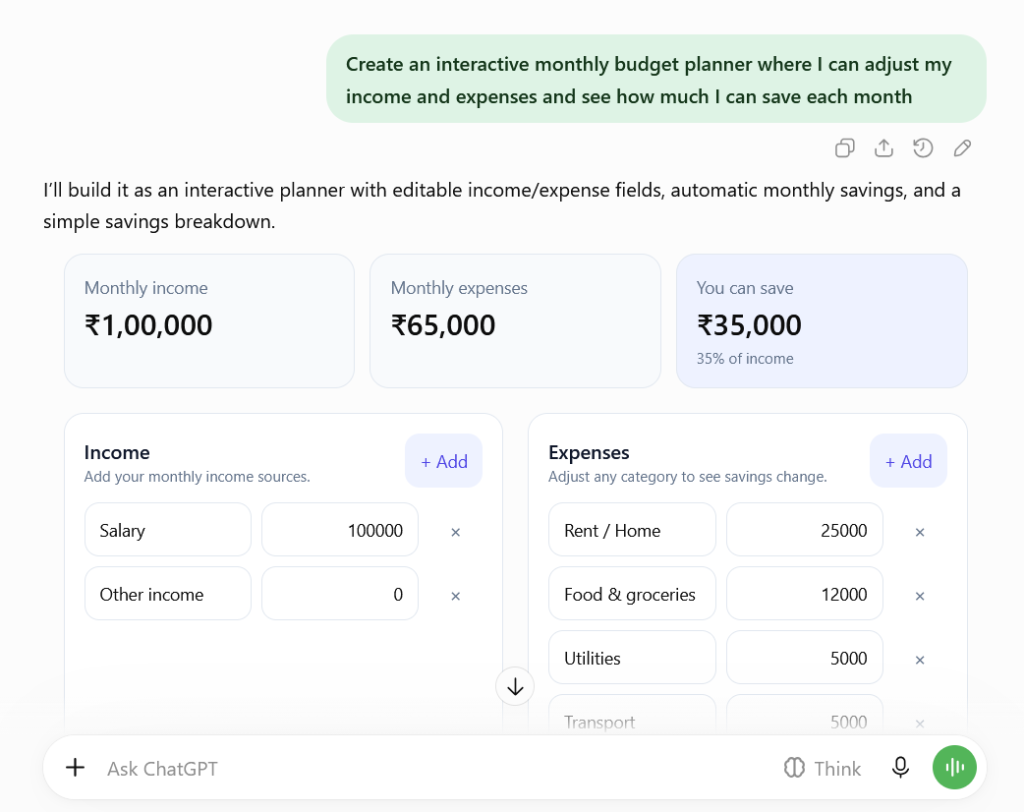
“Create an interactive monthly budget planner where I can adjust my income and expenses and see how much I can save each month.”
This turns a question about personal finances into something you can actually interact with.
Turn Data Into an Interactive Visualization
Try:
“Create an interactive chart showing how a ₹10,000 monthly investment grows over 20 years at different annual returns. Let me change the return rate and investment period.”
Rather than explaining the numbers in a table, ChatGPT can present them in a format that lets you explore different scenarios.
Turn Learning Into a Quiz
Try:
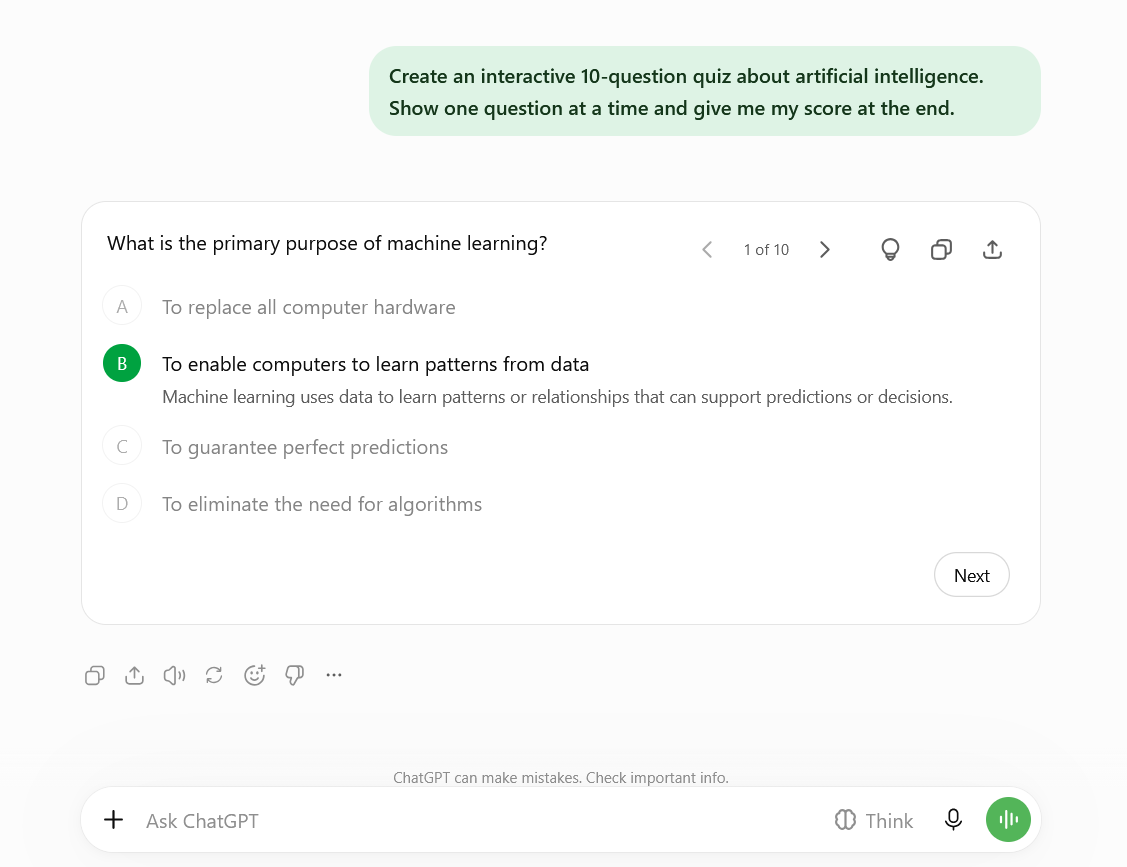
“Create an interactive 10-question quiz about artificial intelligence. Show one question at a time and give me my score at the end.”
Instead of reading a list of questions, you can interact with the quiz and receive feedback as you progress.
Compare Options With a Decision Matrix
Try:
“Create an interactive decision matrix to compare three laptops based on price, performance, battery life and portability. Let me change the importance of each factor.”
The interface can turn a simple comparison into an interactive decision-making tool, allowing you to adjust priorities and see how the result changes.
It Isn’t Just About Asking for a Tool
The interesting part is that users don’t necessarily have to think in terms of “build me an app.”
You can describe what you’re trying to accomplish, and ChatGPT can determine whether an interactive component would make the response more useful.
For example, a question that requires comparing options could benefit from a decision matrix, while a mathematical problem could be easier to understand through an interactive visualization.
The result is a different interaction model:
Describe what you want → ChatGPT determines the useful format → Interact with the result.
That is the bigger idea behind Intelligent UI.
The common thread is simple: the AI doesn’t just tell you something—it can give you a way to work with the answer.
Why This Could Change Software
Traditional software makes users adapt to its interface.
You open an application, find the right menu, fill out a form and follow a predefined workflow.
Intelligent UI points toward the opposite model.
You describe the outcome you want, and AI can determine what information, visualization or interaction would help you accomplish it.
That doesn’t mean traditional applications are disappearing. Complex software will still need dedicated interfaces, permissions, databases and business logic.
But for smaller, task-specific experiences, the distinction between “asking AI a question” and “using an application” could become increasingly blurred.
The Bigger Shift
The most important part of Intelligent UI isn’t that ChatGPT can display a calculator or chart.
It’s that the interface itself can become part of the AI’s answer.
That creates a new model:
Ask → AI understands the goal → AI chooses the appropriate response format → You interact with the result.
For users, that could mean less time searching for the right app or learning how a particular tool works.
For developers, it could mean thinking beyond chatbots and agents toward AI systems that combine models, tools, data and interfaces into a single experience.
ChatGPT’s Intelligent UI may therefore be less about making chat look better and more about changing what we expect an AI answer to be.
Enjoy Worthview?
Add Worthview as a Preferred Source on Google to see more of our stories in Search.

Worthview Editorial Team is the shared byline for content created collaboratively by Worthview’s editors and contributors. Since 2008, we’ve published thousands of articles across technology, AI, finance, health, home, travel, and lifestyle. Our editorial process emphasizes original research, reputable sources, regular content updates, and clear attribution. Articles covering higher-trust topics, including health and finance, may also undergo review by qualified subject-matter experts.