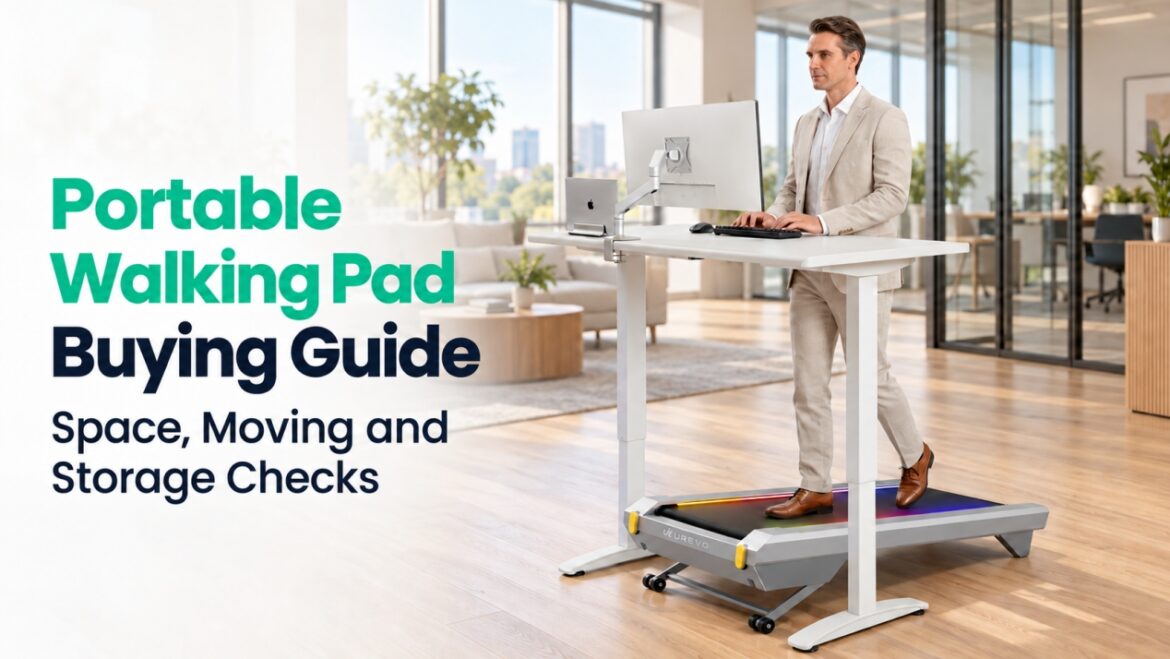
Walking pads are gaining attention as a way to add those walks at home or at work. A short walk between meetings or after dinner sounds easy to fit into the day. Yet that appeal fades if the machine blocks a walkway, takes effort to move or has no convenient place to go afterward.
A portable walking pad works best when it fits your space and the way you actually walk. This guide explains how to judge space, portability, walking needs and everyday comfort before choosing a model for your routine.
What is a Walking Pad?
A walking pad is genuinely portable for your routine when it fits the walking spot with the required clearance and you can move it to storage as often as needed. Its weight, wheels and moving route affect that journey; its stored size and permitted position determine where it can go. CyberPad for Home offers a longer walking area for dedicated indoor walks. CyberPad for Office has a lower, lighter body designed for walking at a standing desk.
| Decision | Check | What it means |
| Space | Body dimensions, required clearance, under-desk space | If it does not fit, consider a smaller model. |
| Movement | Weight, wheels, thresholds and stairs | For frequent moves, consider the effort along your actual route. |
| Storage | Stored dimensions, folding design, permitted position | If it does not fit, reconsider the model or storage spot. |
| Walking needs | Belt size, weight capacity, speed, operating guidance | Choose a model that suits your usual walks. |
| Daily use | Sound, vibration, controls, maintenance | Prioritize what matters in your home or office. |
How Do You Check Portability and Space Requirements?
To judge portability, consider the space a walking pad occupies during use, the route between its walking and storage spots, and its storage position. Full dimensions help establish whether it fits; weight and wheel placement show how manageable a regular move may be.
- Use Space and Body Dimensions
Measure the planned walking spot against the machine’s full length and width, allowing the surrounding clearance required by its manufacturer. A fit between furniture is not necessarily enough room for safe use.
For desk walking, check the space between desk legs and the location of any crossbar. The desktop must also reach a comfortable working height when you stand on the belt.
- Portable Walking Pad Weight and Movement
Weight matters most in relation to how often the machine moves. Check its listed weight, where the transport wheels sit and whether one end needs lifting to roll it.
Check the full moving route, including doorways, thresholds, tight turns and stairs. Follow the manufacturer’s moving guidance and consider whether you will need assistance. A compact outline does not guarantee an easy daily move.
- Storage Size and Folding Design
Foldable and non-foldable treadmills differ in what space they occupy after use. A folding handrail may lower stored height without shortening the deck; a folding deck may reduce length but adds setup steps. A fixed deck retains its length.
Compare stored dimensions with the clearance under a bed or sofa. If a corner is the intended spot, check whether the manufacturer permits upright storage. The useful design is the one you can put away as often as your routine requires.
Which Specifications Match Your Walking Needs?
A pad can fit the room but still feel cramped during a walk. The usable belt shows how much space your stride has, while the user weight rating, speed range and operating guidance help you judge whether the machine suits your preferred pace and walking schedule.
- Walking Area and Stride
Overall dimensions include the frame and housing; the walking area measures the belt space available for your feet. These numbers answer different parts of the size question.
A longer stride calls for more belt length, especially at a brisk pace. Width provides room for your usual foot placement. A compact portable walking pad still needs a belt that accommodates your height, stride and preferred speed.
- Weight Capacity and Stability
The rated user weight should cover everyone who will use the machine. Frame support and a firm, level placement also affect how steady it feels. Neither machine weight nor motor power alone establishes its user capacity or stability.
- Speed Range and Main Use
Desk walking, relaxed walks and brisk exercise call for different paces. Look for your usual speed within the stated range, not only at the highest setting.
If running is part of the plan, confirm that the manufacturer describes the product as suitable for it. A portable walking pad reaching a particular speed does not automatically make it a running treadmill.
- Daily Use and Operating Requirements
Estimate the number and length of your daily walks. Then check the manufacturer’s instructions for continuous operation, rest periods and maintenance. A horsepower figure alone does not show whether a machine suits several sessions a day.
What Affects Everyday Comfort, Convenience and Value?
A pad with the right dimensions and speed range can still affect the people and space around it. Motor sound, footsteps and vibration matter in shared spaces; cushioning and controls influence everyday use. Incline, tracking, maintenance and warranty are worth considering in light of how often you expect to use them.
- Noise, Vibration and Walking Comfort
Motor sound, footsteps and floor vibration are separate concerns. Vibration may matter in an upstairs apartment; nearby sound may matter more during calls or in a shared office.
Evaluate cushioning separately from noise. Check the deck design and, where possible, try the machine before buying. Compare advertised noise figures only when the test conditions, including speed and floor surface, are clear.
- Incline and Your Exercise Routine
Incline can make a dedicated home walk more demanding without a faster pace. For walking while working, a steady speed and simple controls may matter more. The extra feature is worth considering if you will also use the machine for separate workouts.
- Controls, Activity Tracking and Safety
Starting, stopping and changing speed should be convenient from your walking position, and the display should be easy to read. An app is useful if you follow goals or review your activity; otherwise, it need not determine the purchase.
Before buying, review the exact model’s manual for placement, controls and stopping procedures. If you need handrail support, confirm that the product or a manufacturer-approved accessory provides it.
- Maintenance, Warranty and Budget
Before buying a home treadmill, check its lubrication and belt adjustment requirements, parts availability, warranty coverage and customer support. Compare its price with the features you will use and the upkeep it requires. For a portable walking pad used every day, those practical costs affect value as much as the initial price.
Which UREVO CyberPad Fits Your Routine?
Whether you prefer a dedicated walk at home or extra movement during the working day, the two CyberPad models bring different strengths to your routine.
CyberPad for Home supports dedicated indoor walks, while CyberPad for Office is designed around a standing desk. For portability, the main trade-off is walking space versus body size and weight: Home offers a longer walking area, while Office has a shorter, narrower body and weighs less. The comparison below connects those differences to your available space and daily routine.
| Comparison | CyberPad for Home | CyberPad for Office |
| Primary use | Dedicated indoor walks and incline sessions. | Walking while working at a standing desk. |
| Main space advantage | A longer walking area provides more front-to-back space for your stride. | A shorter, narrower body fits more compact workstation layouts. |
| Walking area, L × W | 43.3 × 16.5 in | 39.4 × 16.5 in |
| Body dimensions, L × W × H | 47.6 × 23.6 × 8.7 in | 42.9 × 22.8 × 6.3 in |
| Product weight | 70.6 lb | 63.1 lb |
| Moving method | Lift the rear end and roll on the transport wheels | Lift the rear end and roll on the transport wheels |
| Storage design | Full-length deck; upright storage against a wall | Full-length deck; upright storage against a wall |
For either model, confirm the transport-wheel arrangement and any lifting needed along your route, particularly at thresholds or stairs. Use the model’s documented storage configuration when measuring under-bed or sofa clearance.
UREVO CyberPad for Home Smart Treadmill
The UREVO CyberPad for Home Smart Treadmill brings a longer walking area, automatic incline and connected workout features together for dedicated indoor walks.
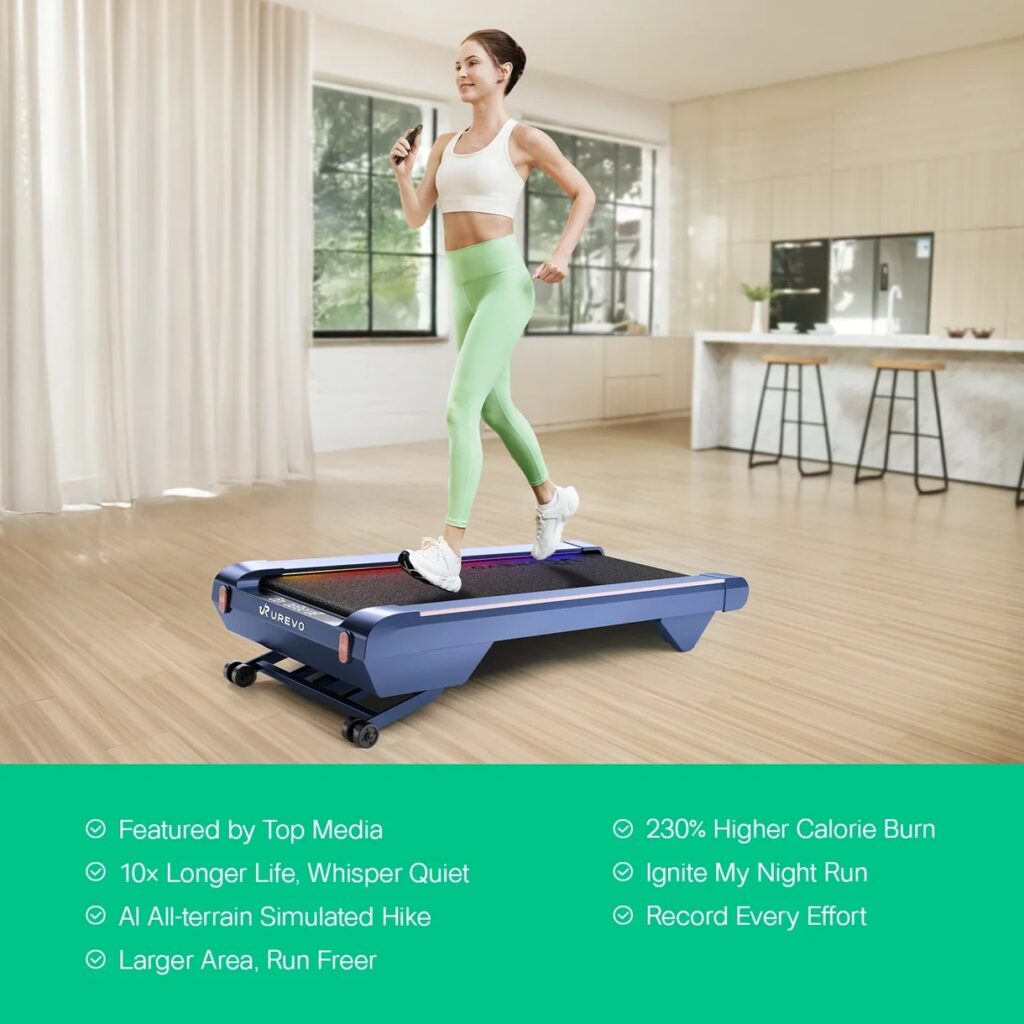
UREVO CyberPad for Home Smart Treadmill
- A longer walking area: Its 43.3 × 16.5-inch walking area provides 3.9 inches more belt length than the Office model, giving you more front-to-back space for your stride.
- Cushioning built into the deck: The eight-point Hivetech shock-absorption system is designed to cushion footfalls, adding a cushioning feature for users who prioritize underfoot feel.
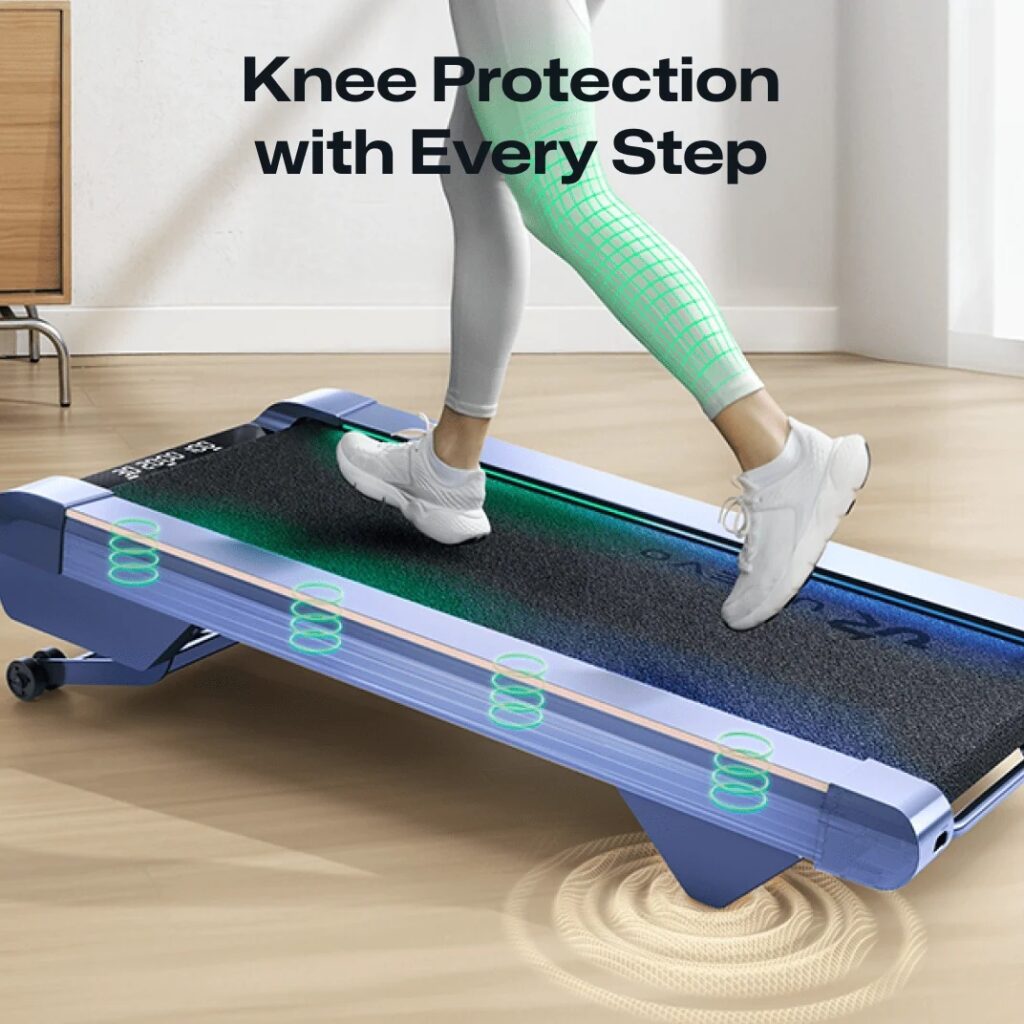
The eight-point Hivetech shock-absorption system of UREVO CyberPad for Home Smart Treadmill
- More ways to vary a walk: Automatic incline from 0–14% lets you change the challenge without relying only on a faster belt speed, bringing variety to dedicated walking sessions.
- Structure for home sessions: App features include goal setting, simulated routes and exercise records. You can set a target, follow a virtual route and review your activity afterward.
UREVO CyberPad for Office Smart Treadmill
For someone seeking the best walking pad for use at a desk, the UREVO CyberPad for Office Smart Treadmill centers on workstation fit and movement during the working day.
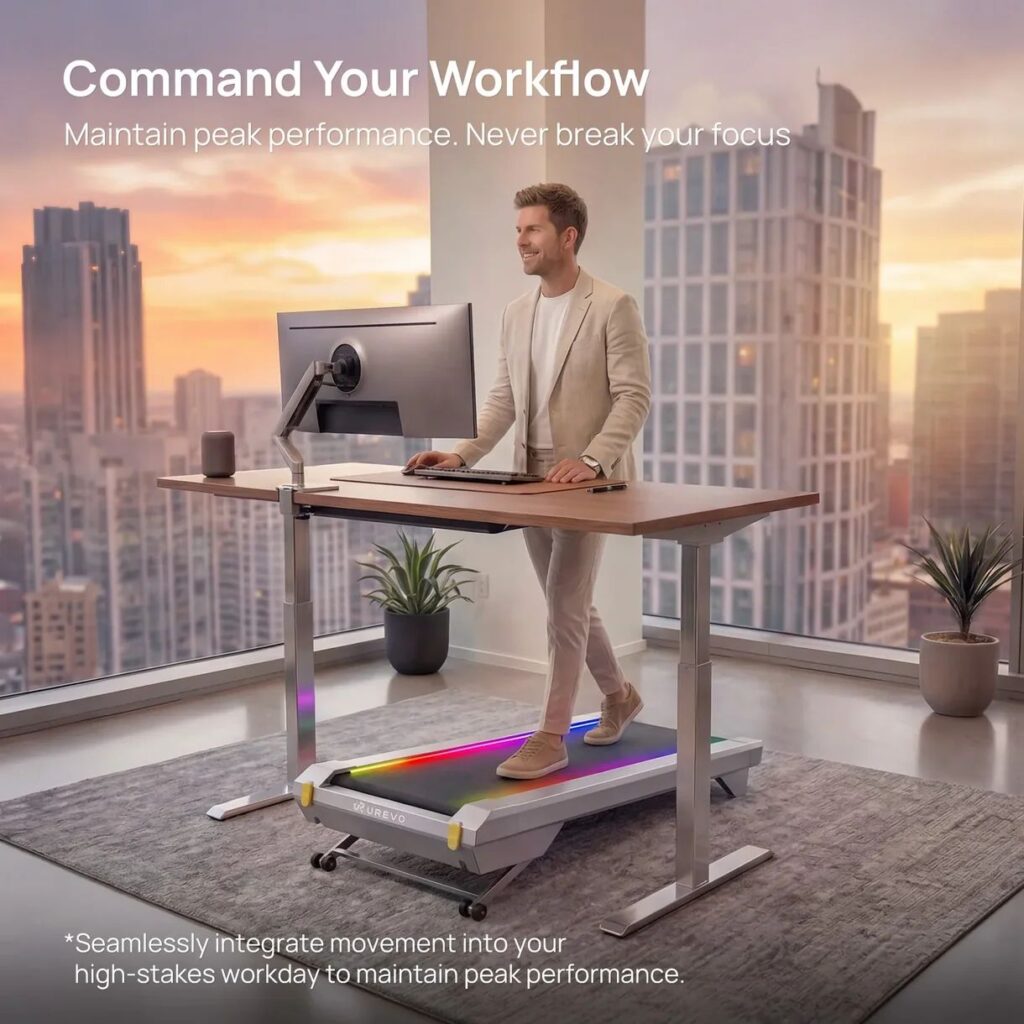
UREVO CyberPad for Office Smart Treadmill
- A smaller footprint for your workstation: Its 42.9 × 22.8-inch body occupies less floor space than the Home model while retaining the same 16.5-inch walking-area width, offering a more compact layout for desk walking.
- Cushioning for desk walks: A twelve-point shock-absorption system is designed to cushion footfalls during walking sessions.
- Options beyond the working day: Automatic incline from 0–14% gives the machine a role in separate exercise sessions too, letting you vary your walk when you step away from desk tasks.
- A view of your activity over time: Wellness Hub provides daily, weekly and longer-term activity reporting, so individual walking sessions become a record you can review across your working routine.

The UREVO Wellness Hub
Conclusion
A portable walking pad becomes part of a routine when using it feels simple each day. The right choice has a practical path between walking and storage spots, enough belt space for your stride, and sound and upkeep that suit your home.
UREVO CyberPad for Home offers a longer walking area and incline for dedicated home sessions; CyberPad for Office pairs a lower profile with features for walking at a standing desk.
Explore UREVO’s walking pad collection to compare both models with other options and find the one that fits your day.
Enjoy Worthview?
Add Worthview as a Preferred Source on Google to see more of our stories in Search.

Worthview Editorial Team is the shared byline for content created collaboratively by Worthview’s editors and contributors. Since 2008, we’ve published thousands of articles across technology, AI, finance, health, home, travel, and lifestyle. Our editorial process emphasizes original research, reputable sources, regular content updates, and clear attribution. Articles covering higher-trust topics, including health and finance, may also undergo review by qualified subject-matter experts.