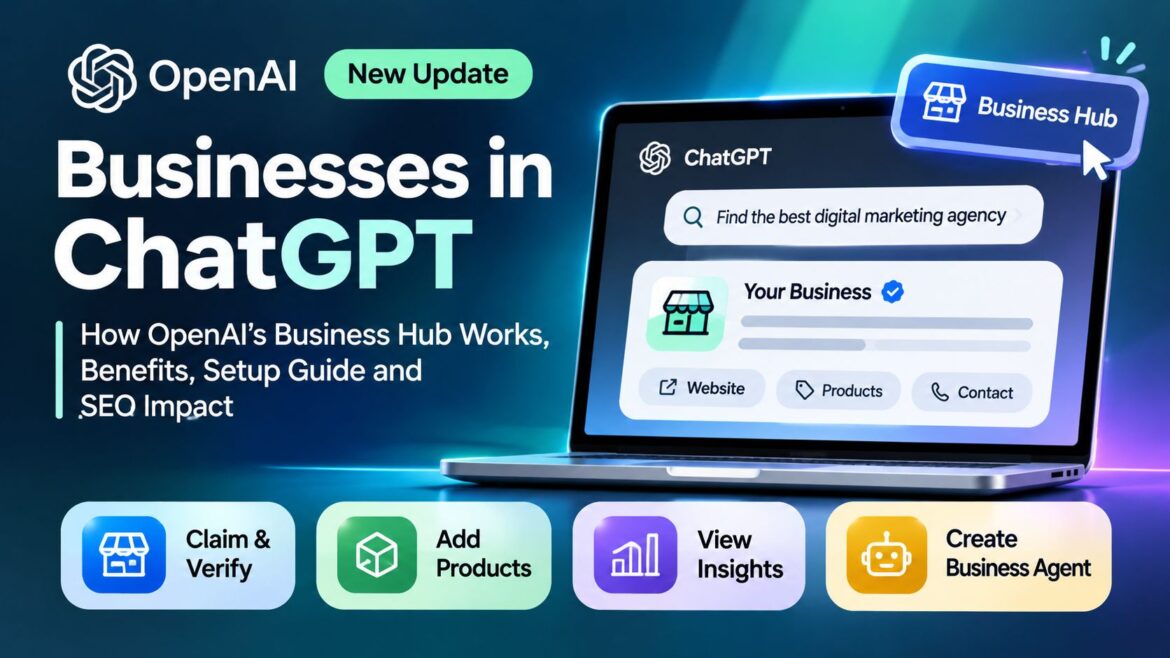
Businesses in ChatGPT allows eligible businesses to claim and verify their business profiles through OpenAI’s Business Hub. Businesses can update their information, connect product feeds, monitor discovery analytics, and manage their presence in ChatGPT.
Registration is free, but claiming a profile does not guarantee higher visibility, rankings, or recommendations in ChatGPT.
Imagine someone asking ChatGPT to find the best digital marketing agency, compare products, or recommend a reliable local business. Will your business show up?
OpenAI’s new Businesses in ChatGPT initiative gives eligible businesses a way to manage how their information appears in ChatGPT.
Announced on November 10, 2026, OpenAI introduces Business Hub, where businesses can claim and verify their profiles, update company details, share product information, and track how people discover them. It also introduces Business Agents, which let eligible businesses offer customers an AI-powered way to explore their products and services.
This could change how businesses approach online visibility as more people use AI tools to research products and find services. But claiming a profile does not guarantee recommendations or better visibility.
So, how does it work? Who can register? And how can you claim your business?
Let’s explore the features, registration process, benefits, analytics, and what Businesses in ChatGPT means for SEO and Generative Engine Optimization (GEO).
What Is Businesses in ChatGPT?
Businesses in ChatGPT is an OpenAI initiative that lets eligible companies claim and manage their business information inside ChatGPT. Everything is handled from one dashboard called Business Hub.
Think of it as a business management layer within the ChatGPT ecosystem. Rather than relying entirely on information gathered from websites and other online sources, eligible businesses can claim their profiles and contribute information directly.
Now in beta: Businesses in ChatGPT. Claim your business, manage your information, and get insights on how people engage with you. Eligible businesses can also build a Business Agent to answer customers’ questions and help them explore what you offer. https://t.co/N2GEZX0mFT https://t.co/lYj2Z48fhQ
— OpenAI (@OpenAI) November 10, 2026
How does it work?
The concept is relatively straightforward.
When someone asks ChatGPT to recommend a product, compare services or find a business, ChatGPT generates a response based on relevant information available to it.
Businesses in ChatGPT adds another way for eligible companies to contribute current business information and understand how their websites and profiles appear in these experiences.
The process can be understood through three stages:
Claim
Find your business in Business Hub and verify that you own it or represent it.
Manage
Update descriptions, products, pricing and availability where supported.
Monitor
Track business mentions, website clicks and discovery topics through aggregated analytics.
The one thing to remember
Claiming a business does not guarantee ChatGPT will recommend it. You get control over your information and access to insights, not preferential placement.
What makes this different from a traditional business listing?
A traditional business directory primarily provides a place to display company details. Businesses in ChatGPT goes further by connecting business information with AI-powered discovery, aggregated engagement insights and, for eligible companies, conversational Business Agents.
| Capability | Traditional Directory | Businesses in ChatGPT |
|---|---|---|
| Business information | Yes | Yes |
| Ownership verification | Varies | Yes |
| Product information | Varies | Product feeds |
| AI discovery insights | Usually limited | Yes |
| Website click insights | Varies | Yes |
| Conversational AI agent | Usually no | Eligible businesses |
Key Features of Businesses in ChatGPT
OpenAI’s Businesses in ChatGPT initiative brings several capabilities together to help companies manage their business information, understand AI-driven discovery and engage with potential customers.
Rather than functioning as a simple business directory, Business Hub introduces tools covering business verification, product information, analytics and AI-powered customer interactions.
Let’s explore the major features and understand how each one can benefit businesses.
Business Hub
A central dashboard to claim your profile, update your business name, website, logo and return policy, and view insights. OpenAI reviews changes before they go live.
Business Verification
Prove ownership through your business phone, email, website domain or Shopify. Then verify your identity through Persona to unlock features and the blue verified checkmark.
Product Feeds
Retailers can share product names, prices, stock levels, images and links through Shopify or a CSV upload.
Business Analytics
See how often ChatGPT mentions your business, how many people click through to your website and which topics help people discover you.
Business Agents
A custom AI assistant that answers customer questions about your products and policies. Currently available to eligible e-commerce and online service businesses in the US.
Key takeaway: Businesses in ChatGPT is not just about getting a business profile. It combines business information management, AI discovery insights and conversational customer engagement in one ecosystem.
Who Can Register for Businesses in ChatGPT?
Businesses in supported ChatGPT markets can claim a profile if they meet OpenAI’s eligibility and verification rules. This includes:
- Retail and e-commerce stores
- Online service providers and agencies
- Local businesses with an existing listing
- Startups, small businesses and larger companies
Can Indian businesses register?
Yes. Eligible businesses in India can claim their profile without setting up a US company. However, Business Agents are only available to eligible US businesses for now.
This means Indian businesses can explore claiming their presence without needing to establish a US-based company.
For example, businesses in Bengaluru, Mumbai, Delhi, Hyderabad and Chennai can explore the registration process, provided their business type and verification method are supported.
However, there is an important distinction:
- Business claiming: Available to eligible businesses in supported ChatGPT markets.
- Business Agents: Initially available only to eligible e-commerce and online service businesses in the United States.
Therefore, an Indian e-commerce company may be able to claim its business profile without necessarily being eligible to publish a Business Agent.
Do you need to pay?
No. You do not need a ChatGPT Enterprise plan or an advertising account to claim your business.
What about websites like Worthview?
Digital publishers and content websites should investigate whether their organization qualifies as a business listing. Having a website or publishing content alone does not establish eligibility. The final decision rests with OpenAI.
How to Claim Your Business on ChatGPT: Step by Step
Keep your business email or phone, website domain access, a government ID and proof that you can represent the business ready. Then follow these steps:
Open Business Hub
Sign in to ChatGPT, open the sidebar and select Business Hub.
Find Your Business
Search for your official business name and select the correct listing. Eligible online businesses can add a new listing if theirs is missing.
Choose a Verification Method
Choose one of the available methods to prove that you own or represent the business:
- Receive a verification code by business phone or email.
- Add a DNS TXT record to your website domain.
- Connect your Shopify store.
Wait for Approval
OpenAI reviews your claim and emails you with its decision. There is no fixed approval timeline.
Verify Your Identity with Persona
Complete the separate identity verification process through Persona. This is required before you can:
- Publish changes to your business profile.
- Connect a product feed.
- View Business Hub insights.
- Create a Business Agent.
Update Your Business Profile
Add accurate and up-to-date business information, including:
- A clear business description.
- Your company logo and category.
- Relevant business policies.
Make sure these details match the information on your official website.
Add a Product Feed and Check Insights
Connect your Shopify store or upload a CSV product feed. Once your setup is complete, explore Business Hub insights to monitor mentions, website clicks and discovery topics.
Tip: Domain verification is a good choice if you control your website, as it clearly links you to your official site.
Benefits of Registering Your Business on ChatGPT
Registering your business through OpenAI’s Business Hub can give you more control over how your business information is presented in ChatGPT. It also provides access to product feeds, discovery insights and, for eligible businesses, AI-powered customer interactions.
Here are five important benefits businesses should understand.
1. Keep Your Business Information Accurate
Customers rely on accurate information when choosing a company, comparing products or deciding whether to make a purchase. Outdated prices, incorrect website links, old business descriptions or missing policies can create confusion and affect customer trust.
Business Hub allows eligible businesses to manage important profile details, including their business name, website, description, logo, category and relevant policies.
Keeping this information up to date helps ChatGPT access a more accurate representation of your business. OpenAI reviews submitted profile changes before they are published, and ChatGPT may also use information from other sources.
Why it matters: Consistent and accurate business information gives potential customers a clearer picture of what your company offers.
2. Establish an Official Business Presence
When people search for a company through AI assistants, they may come across different websites, directories, profiles and third-party references.
Claiming your business profile and completing the required verification helps establish which business listing you own or represent. After successful identity verification through Persona, eligible businesses can receive a verified checkmark.
This provides an additional trust signal and gives businesses a recognised place to manage their information within ChatGPT.
However, verification does not guarantee that ChatGPT will recommend your business or rank it above competitors.
Why it matters: An official, verified profile can help reduce confusion about your business identity and improve the accuracy of the information associated with your brand.
3. Improve Product Discovery Through Product Feeds
For e-commerce businesses, product information plays an important role in customer decisions. People often compare prices, product features, availability and other details before choosing what to buy.
Businesses can connect their Shopify stores or upload product information through supported CSV feeds. These feeds can include:
- Product names and descriptions.
- Current prices and availability.
- Product images.
- Product URLs.
- Other supported product attributes.
This gives ChatGPT access to structured product information that can help it present relevant products when users explore or compare options.
For example, someone asking ChatGPT to compare wireless headphones may benefit from product information that includes prices, images and availability.
Why it matters: Maintaining an accurate product feed can make your catalogue information more useful for AI-assisted product discovery. However, connecting a feed does not guarantee that every product will appear in ChatGPT recommendations.
4. Understand How People Discover Your Business Through AI
Traditional SEO tools help businesses understand their performance in search engines. Business Hub adds another source of information by showing how people discover and interact with businesses through ChatGPT.
Its Insights section provides aggregated metrics such as:
- Business mentions: How often your business appears in relevant ChatGPT results.
- Website clicks: How many clicks ChatGPT sends to your website.
- Discovery topics: Common themes associated with the queries where your business appears.
These insights can help businesses identify the subjects, products or services connected to their visibility in ChatGPT.
For example, a digital marketing agency might discover that it receives visibility around topics such as technical SEO, content strategy or local search marketing.
Businesses can use these findings to identify content gaps, improve their service pages and develop more useful content.
Why it matters: These insights add another layer to your SEO reporting and help you understand your visibility beyond traditional search engine rankings. They are aggregated metrics, not a list of individual customer searches or conversations.
5. Support Customer Conversations with Business Agents
One of the more interesting features of OpenAI’s initiative is Business Agents.
Eligible businesses can create a dedicated AI-powered assistant that helps customers explore products, understand services and find answers to common questions.
A Business Agent can use business-provided information, such as product details, policies and instructions, to respond to customer enquiries.
For example, an online retailer could use a Business Agent to help customers understand product specifications, compare available options or find relevant delivery and return information.
This can make it easier for customers to get answers without searching through multiple website pages.
However, Business Agents are currently limited to eligible e-commerce and online service businesses in the United States. Publishing an agent is also a separate, optional step from claiming a business profile.
Why it matters: Business Agents introduce another way for eligible businesses to interact with potential customers through AI-powered conversations.
What Do These Benefits Mean for Businesses?
Businesses in ChatGPT is not a replacement for SEO, Google Business Profile, social media or other digital marketing channels. Instead, it adds another way to manage business information and understand how customers discover brands through AI.
For businesses investing in Generative Engine Optimization (GEO), it also creates an opportunity to monitor AI discovery signals, maintain accurate business information and improve the quality of product and service data available to ChatGPT.
The key is to treat Business Hub as an additional part of your digital presence, not a shortcut to guaranteed AI recommendations.
Business Hub Analytics: How to Measure Your ChatGPT Visibility
Business Hub shows three key metrics, based on the last 28 days of activity:
Understand Your AI Discovery Performance
Three key insights help businesses understand how they appear and attract attention through ChatGPT.
Business Mentions
How often ChatGPT refers to your website or local business listing.
Website Clicks
How many people click through from ChatGPT to visit your website.
Discovery Topics
Common themes in answers that cite your website.
Important: These are aggregated insights, not a list of individual customer prompts or conversations. Discovery topics show common themes, not exact searches or customer intent.
You will not see individual users, private chats or exact prompts.
To track ChatGPT traffic in Google Analytics 4, go to Reports > Acquisition > Traffic acquisition and look for chatgpt.com / referral.
Limitations to Know Before You Register
Businesses in ChatGPT offers new opportunities for business discovery, but there are a few limitations to understand before getting started.
1. No Guaranteed Rankings or Recommendations
Claiming and verifying your business profile does not guarantee that ChatGPT will recommend your business more often, improve its visibility or generate additional sales. Recommendations depend on factors such as the user’s question, relevance and available information.
2. Not Every Business Is Eligible
Registration depends on business type, location and OpenAI’s verification requirements. Some features also have regional restrictions. For example, Business Agents are currently limited to eligible e-commerce and online service businesses in the United States.
3. Identity Verification May Require Documents
Business ownership verification and personal identity verification are separate processes. Persona may request a government-issued ID and other information to confirm your identity. Make sure you understand the verification requirements before submitting sensitive documents.
4. Profile Changes Require OpenAI Review
Submitting updated business information does not mean it will appear immediately. OpenAI reviews profile changes before publishing them, and updates may be delayed, modified or declined.
5. Analytics Have Limitations
Business Hub provides aggregated insights rather than detailed customer-level data. Some metrics may not appear until sufficient activity is available. You also cannot use these reports to identify individual users or view their private ChatGPT conversations.
6. Sponsored Placements Are Different from Organic Recommendations
Paid promotions and sponsored Business Agent placements are separate from organic ChatGPT recommendations. Sponsored placements are clearly labelled, so businesses should not confuse paid visibility with normal discovery.
What this means: Treat Business Hub as an additional channel for managing your digital presence and understanding AI discovery. It complements your existing SEO and marketing activities rather than replacing them or guaranteeing better results.
Frequently Asked Questions
Is it free to register a business on ChatGPT?
Yes. Claiming an eligible business does not need an advertising purchase or a ChatGPT Enterprise plan.
How do I claim my business on ChatGPT?
Open Business Hub in ChatGPT, find your business, verify it by phone, email, domain or Shopify, then complete Persona identity verification.
How long does verification take?
There is no fixed timeline. OpenAI emails you when your claim is approved or if it needs more information.
Do I need a Shopify store?
No. Shopify is optional. You can verify by business phone, email or website domain.
Does claiming my business improve ChatGPT rankings?
No. ChatGPT makes independent recommendations based on relevance and available information.
Can businesses see who searched for them?
No. Business Hub only shows aggregated data, not names, chats or exact prompts.
Are Business Agents available in India?
Not yet. They are currently limited to eligible e-commerce and online service businesses in the US.
Can an agency manage a client’s profile?
Yes. Business owners can invite teammates or grant an agency access through Business Hub.
Final Thoughts: Is Businesses in ChatGPT Worth It?
Yes, if you are eligible. Claiming your business is free, keeps your information accurate and gives you new insights into AI-driven traffic. Just keep expectations realistic: it will not guarantee rankings or sales.
Claim and verify your profile, keep your details up to date, and pair Business Hub with strong SEO, useful content and Google Business Profile. Businesses that do this well will be ready as more customers turn to AI to find what they need.
Enjoy Worthview?
Add Worthview as a Preferred Source on Google to see more of our stories in Search.

Sethuram Kishore is the founder and editor of Worthview, an online publication established in 2008. With over 18 years of experience in SEO, digital marketing, and online publishing, he writes about AI, technology, business, and digital trends. He is also the founder of MoneyHulk, a personal finance and business publication.