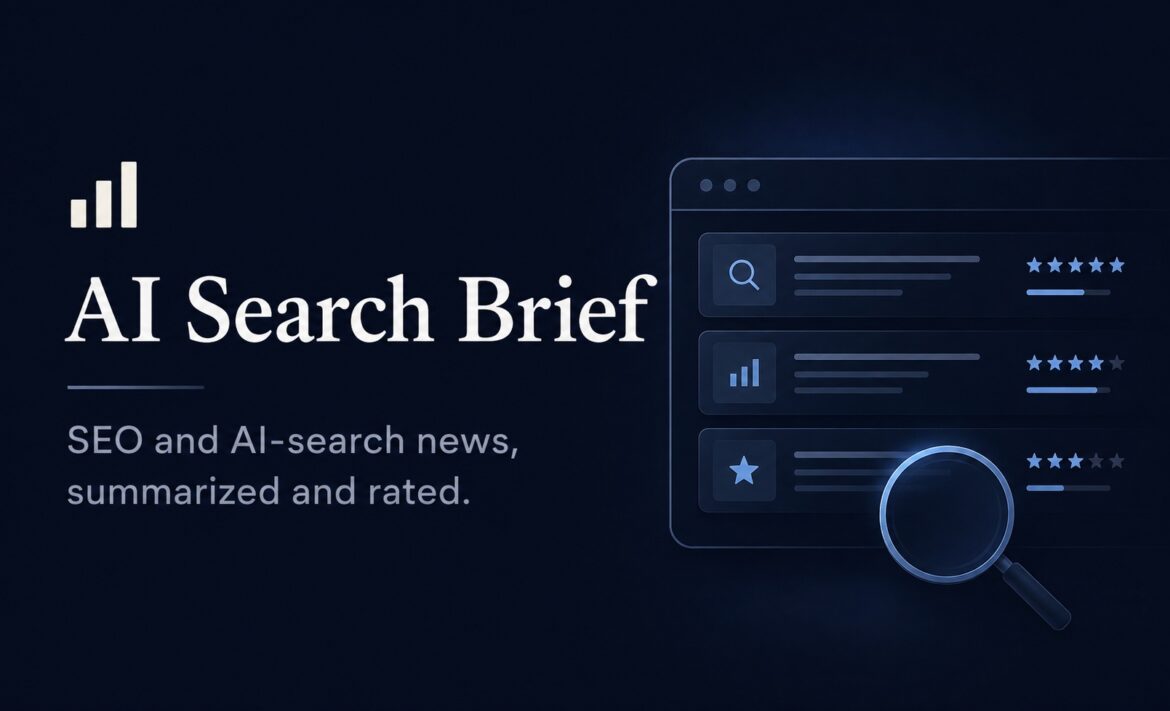
I’ve spent my career doing SEO, not writing software. Yet I recently built and shipped AISearchBrief.com — a daily-updated AI-curated news site covering SEO, GEO/AEO, and the rapidly changing world of generative search.
I built it using AI-assisted development, working primarily with Claude Code. I wasn’t trying to become a developer. I wanted to see how far someone with deep domain expertise, but limited software-engineering experience, could go by using AI to handle much of the implementation.
The answer surprised me.
AISearchBrief isn’t a toy project or a static demo. It has automated content ingestion, AI-powered classification and importance scoring, search and filtering, authentication, saved articles, email notifications, analytics, and automated deployments. Getting all of that into production taught me considerably more than how to make an AI coding tool generate code.
It taught me where AI-assisted development works remarkably well, where it confidently gets things wrong, and where the person directing the AI still needs to exercise real judgment.
That’s what this post is about: what I learned building AISearchBrief.com, the mistakes that shaped how I work with AI coding tools now, and why I think domain expertise plus AI-assisted execution is becoming a genuinely powerful combination.
Why AISearchBrief Needed to Exist
The search landscape is changing faster than the way most SEO professionals consume industry news.
For years, keeping up with SEO largely meant following Google algorithm updates, ranking changes, technical SEO developments, content strategies, and the broader search ecosystem. That’s still important. But now there’s another layer to track: how ChatGPT, Google AI Overviews, Perplexity, Gemini, and other generative search experiences are changing how people discover information — and how brands get visibility.
I found myself constantly switching between traditional SEO news, AI search developments, GEO/AEO discussions, platform announcements, and updates from different sources. The information was there, but it wasn’t organised around the questions I actually wanted to answer:
What happened?
How important is it?
Which search surface does it affect?
And what other stories are connected to it?
That became the idea behind AISearchBrief.
The goal wasn’t to create another generic news aggregator. I wanted to build something that could continuously collect relevant stories, use AI to classify and assess them, group related developments, and make it easier for SEO professionals to understand what’s actually worth paying attention to.
I also wanted to build it with an India-market perspective, something that reflected the questions and priorities I see among SEO professionals here rather than simply reproducing the same global news cycle.
I knew what I wanted the product to do. I didn’t know how to build it.
That gap — between knowing exactly what I wanted and knowing how to implement it — is what made AISearchBrief such an interesting experiment in AI-assisted development.
The Stack, Briefly
For context, here’s what AISearchBrief runs on:
- Next.js + TypeScript — the application and frontend, using the App Router.
- Tailwind CSS — styling and UI.
- Neon Postgres — the database.
- Vercel — hosting and deployment.
- GitHub Actions — scheduled content ingestion and automation.
- RSS feeds — the primary source for news discovery and ingestion.
- Claude Code — my primary AI coding assistant throughout development.
- Resend — transactional email for things like signup notifications.
- Google Analytics 4 — product and traffic analytics.
The content ingestion pipeline runs on a twice-daily GitHub Actions schedule, pulling stories from RSS feeds, processing and classifying them, and pushing the results into the application.
None of this is particularly exotic. That’s actually the point.
The lessons that follow aren’t really about Next.js, Postgres, Vercel, or any individual technology. They’re about what happens when someone who understands the problem deeply but doesn’t have traditional software-engineering experience uses AI to navigate the implementation.
That’s where things got interesting.
Lesson 1: Plan Before You Prompt
The biggest shift in how I worked wasn’t a coding lesson at all. It was a conversation habit.
Early on, I’d jump straight into asking Claude Code to build something. It usually worked, at least technically. But I’d sometimes end up with decisions baked into the codebase that I didn’t fully understand or agree with because I hadn’t actually made those decisions. The AI had made them for me by default, somewhere in the middle of execution.
That changed when I started separating planning from execution.
Instead of immediately saying, “Build this,” I’d first work through the problem with the AI. What are the options? What are the tradeoffs? What does this mean for the existing architecture? What could break? What should we avoid?
Architectural decisions — how authentication should work, what the database schema should look like, where the static/dynamic rendering boundary should sit — now get worked out in conversation first. For anything involving authentication, schema changes, rendering boundaries, or other potentially consequential architectural decisions, I use Plan Mode so the AI proposes an approach before touching files.
That distinction sounds simple, but it fundamentally changed how I think about AI-assisted development:
Don’t start with “write the code.” Start with “help me think through the problem.”
Once the plan is right, implementation becomes much easier to direct and much easier to review.
The lesson also generalizes beyond coding. When you’re not the domain expert on the how, the highest-leverage thing you can do is get very clear on the what and why before delegating the how.
Lesson 2: Schema Decisions Are Cheaper to Make Early Than to Fix Later
I learned this one the concrete way.
AISearchBrief has a four-tier importance rating system for articles, with the rating assigned by AI. As the system evolved, I needed a way to protect certain ratings from being overwritten by future re-rating runs — specifically for articles I had already reviewed and decided to lock.
The easy solution would have been to keep re-running the ratings and manually correcting the exceptions afterward.
Instead, I stopped and changed the underlying data model.
A rating_locked boolean was added to the database schema before touching any existing data. The re-rating logic could then check that field and skip locked articles automatically.
Once the structure was in place, the correction itself became trivial. More importantly, it solved the problem permanently instead of creating another manual step I’d have to remember every time the system ran.
That was a useful lesson in the difference between patching a problem and changing the system so the problem doesn’t recur.
The general version is simple:
If you can see a durable fix and a quick patch, the durable fix is usually cheaper than it looks — and the quick patch is usually more expensive than it looks.
That’s especially true once real data is involved. Changing a schema before thousands of records depend on it is one thing. Trying to retrofit the same decision after the system has accumulated data, users, and dependencies is another.
As a non-developer, I initially thought of schema changes as something technical that I should probably avoid unless absolutely necessary. Building AISearchBrief taught me the opposite: good data-model decisions are product decisions, not just developer decisions.
Lesson 3: Static Rendering Is a Discipline You Have to Keep Choosing
This one matters especially to me because I’m building the site for an SEO audience. Performance, crawlability, and rendering aren’t abstract engineering concerns — they’re part of the product.
AISearchBrief is designed to be statically rendered wherever possible. The auth route, saved-articles API, and profile page are the main areas that require dynamic behavior. For the public content experience, search and filtering happen client-side against data that has already been rendered and delivered to the browser.
That architecture wasn’t something I could configure once and forget about.
Every time I added a feature, there was a temptation to reach for a dynamic solution because it was often simpler to implement. An AI coding assistant naturally tends to optimise for getting the feature working, not necessarily for preserving an architectural constraint that matters to you.
So I started treating static rendering as a constraint to defend, not a setting to configure.
When adding search, source filters, importance filters, or other functionality, one of the questions I now ask before implementation is:
Can we build this without unnecessarily moving another part of the site into dynamic rendering?
That question changes the implementation choices.
It also reinforced something I already knew from SEO, but hadn’t experienced from the engineering side: architecture is part of SEO.
You can’t bolt performance and crawlability onto an application at the end and expect the underlying architecture not to matter. The decisions you make while building the product determine how easy it will be to keep those properties later.
For me, that became one of the most important benefits of working with an AI coding assistant: I could explore different implementation approaches quickly, but I still had to be the person deciding which constraints were non-negotiable.
Lesson 4: AI Tools Will Confidently Guess Wrong — Verify Against the Real Codebase
One of the most useful things I learned early was that my instructions could be wrong.
I’d sometimes tell Claude Code to modify a particular file, use a particular dependency, or update a particular route based on what I thought existed in the project. But the repository occasionally told a different story.
When the AI was working well, it would inspect the actual codebase, notice the mismatch, and adapt to what was really there instead of blindly following my incorrect assumption.
That sounds obvious, but it changed one of my habits: I stopped treating my own mental model of the codebase as the source of truth.
My mental model was often stale. I’d remember how something had been structured two weeks earlier, forget about a refactor, or assume a particular component handled something when it had actually moved somewhere else.
The repository was the source of truth.
That doesn’t mean AI always gets it right. It absolutely doesn’t.
An AI coding assistant can confidently infer a file that doesn’t exist, assume a dependency is available when it isn’t, misunderstand how an existing component works, or propose an implementation that looks reasonable but doesn’t fit the architecture.
So my workflow became:
Inspect → understand → plan → change → verify.
Not:
Assume → prompt → trust.
The difference matters even more when you’re a non-developer. I don’t always have the experience to immediately recognise that an implementation is subtly wrong. Having the AI inspect the actual repository first reduces the number of assumptions I’m carrying into the conversation.
But verification still has to happen.
The AI can inspect the code. It can explain its reasoning. It can write the implementation. It can even review its own changes.
It still shouldn’t be the final source of truth.
The final source of truth is whether the actual application behaves correctly.
Lesson 5: Side Effects Should Never Be Allowed to Block the Main Flow
One of the more practical lessons came when I added email notifications for new user signups.
The obvious implementation was to send the notification as part of the sign-in or signup flow. It works, but it creates an unnecessary dependency:
What happens if the email service is having a bad day?
If Resend is temporarily unavailable, a notification failure shouldn’t mean a real user can’t sign in.
So I deliberately separated the two concerns. The authentication flow completes independently, while the notification is handled as a non-critical side effect with appropriate error handling.
That distinction sounds small, but it changed how I think about application design.
There are things the user is actually waiting for — authentication, saving an article, loading a page, completing an action. Then there are things happening because that action occurred — sending an internal notification, logging an event, updating analytics, or triggering another non-critical process.
The second category shouldn’t be given the power to break the first.
I now ask this question whenever I’m adding a new feature:
If this secondary operation fails, should the user-facing operation fail too?
If the answer is no, I design the two flows accordingly.
This isn’t really a Claude Code lesson. It’s a software-design lesson I happened to learn through AI-assisted development.
And that’s becoming a recurring pattern with AISearchBrief: AI can help me discover engineering principles I hadn’t previously had to think about. But once I’ve learned the principle, the important part is understanding why it exists rather than simply asking the AI to reproduce the pattern.
Lesson 6: The Weird Bugs Are the Ones You Actually Remember
A few bugs earned a permanent spot in my notes, not because they were necessarily the hardest to fix, but because they were the kind of problems I would never have anticipated.
- The infinite loop that wasn’t obviously an infinite loop. Our cookie-consent banner uses
useSyncExternalStoreto sync consent state across the app. At one point, the snapshot function returned a new object on every call instead of a stable reference. React interpreted that as a state change, triggering another render and another snapshot — effectively forever. The eventual fix was tiny; understanding why it happened wasn’t. - The RSS feed that worked everywhere except in production. Search Engine Land’s RSS feed blocks GitHub-hosted runner IPs. It worked locally and from other environments, but not from the environment running our automated ingestion. There wasn’t a clever code fix. I had to accept the constraint and build a manual workaround for that source.
- The analytics bug that didn’t look like a bug. I discovered that configuring GA4 pageview tracking incorrectly could result in the initial pageview being sent twice. Nothing crashed. There was no obvious error. The analytics simply became less trustworthy. It reinforced a lesson that’s easy to forget with AI-assisted development: some of the most dangerous bugs are the ones that produce perfectly valid-looking results.
These were probably my favourite bugs to learn from because none of them came from simply getting the syntax wrong. They came from interactions between systems — React’s rendering model, hosting infrastructure, RSS providers, and analytics configuration.
That’s the kind of thing you don’t fully appreciate until you build something real.
Lesson 7: Build Verification Into the Process
The common thread behind almost every lesson above is simple: check before you trust.
Before making bulk data changes, I use dry runs. Before deploying something that affects users, I test the actual flow in the browser. When a database call can fail, I think about what should happen to the rest of the application. When AI proposes a change, I check what it actually changed rather than assuming the implementation matches the plan.
None of these are sophisticated engineering practices.
They’re simply ways of compensating for the experience I don’t yet have.
A developer who has spent years building production systems has probably developed an instinct for where things can go wrong. I don’t have all of those instincts yet. So I’ve had to make verification more deliberate.
That may be the most important thing AI-assisted development has taught me:
AI can accelerate implementation, but verification is still your responsibility.
The faster AI makes it possible to build, the more important that responsibility becomes.
The Real Takeaway
I didn’t set out to become a developer, and I still wouldn’t call myself one.
What I have become is someone who can direct AI-assisted development well enough to ship something real.
That’s an important distinction.
I brought the product idea, the SEO knowledge, the understanding of GEO/AEO, and the judgment about what the audience actually needs. AI helped me navigate the engineering required to turn those ideas into a working product.
It wasn’t effortless, and it certainly wasn’t magic. Every lesson in this article came from something going wrong, something I misunderstood, or something I had to rethink.
But that’s also what changed my perspective.
For someone with deep domain expertise, the barrier to building software has dropped significantly. You don’t necessarily need to become a traditional developer before you can turn an idea into a working product. You do, however, need to be willing to understand enough about the underlying systems to make good decisions, question the AI, test what it produces, and take responsibility for the result.
That’s the part I think gets lost in a lot of the conversation around vibe coding.
The advantage isn’t simply that AI can write code.
The real advantage is that domain experts can now participate much more directly in building the tools they’ve always wished existed.
AISearchBrief.com is the proof I needed for myself.
I’m still an SEO.
I just happen to be an SEO who can build things now.
Enjoy Worthview?
Add Worthview as a Preferred Source on Google to see more of our stories in Search.

Sethuram Kishore is the founder and editor of Worthview, an online publication established in 2008. With over 18 years of experience in SEO, digital marketing, and online publishing, he writes about AI, technology, business, and digital trends. He is also the founder of MoneyHulk, a personal finance and business publication.